Infy Assess
Test attempts
615K+Tests taken by students on Infy Assess.

 Infy AssessOnline exam and proctoring software
Create, deliver and evaluate high-stakes tests with AI evaluation, proctoring, Safe Exam Browser and full performance reports.
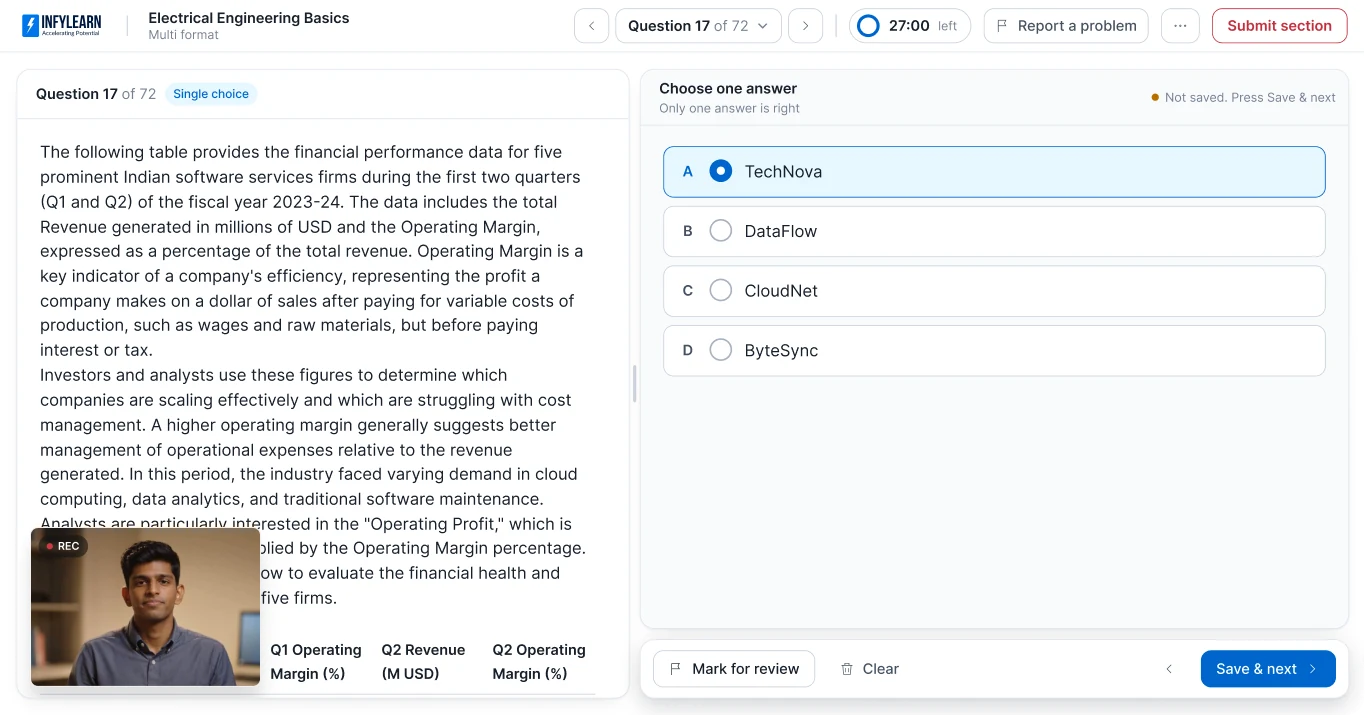 27:00
 Gaze deviation(1 min)
Q4
Leaving this test is not allowed. This action has been noted. Repeated violations lead to automatic test submission.
Institutions that work with InfyLearn



















Infy Assess in numbers
Test attempts
615K+Tests taken by students on Infy Assess.
Students assessed.
Test papers conducted.
When tests, proctoring and marking sit in separate tools, four things go wrong.
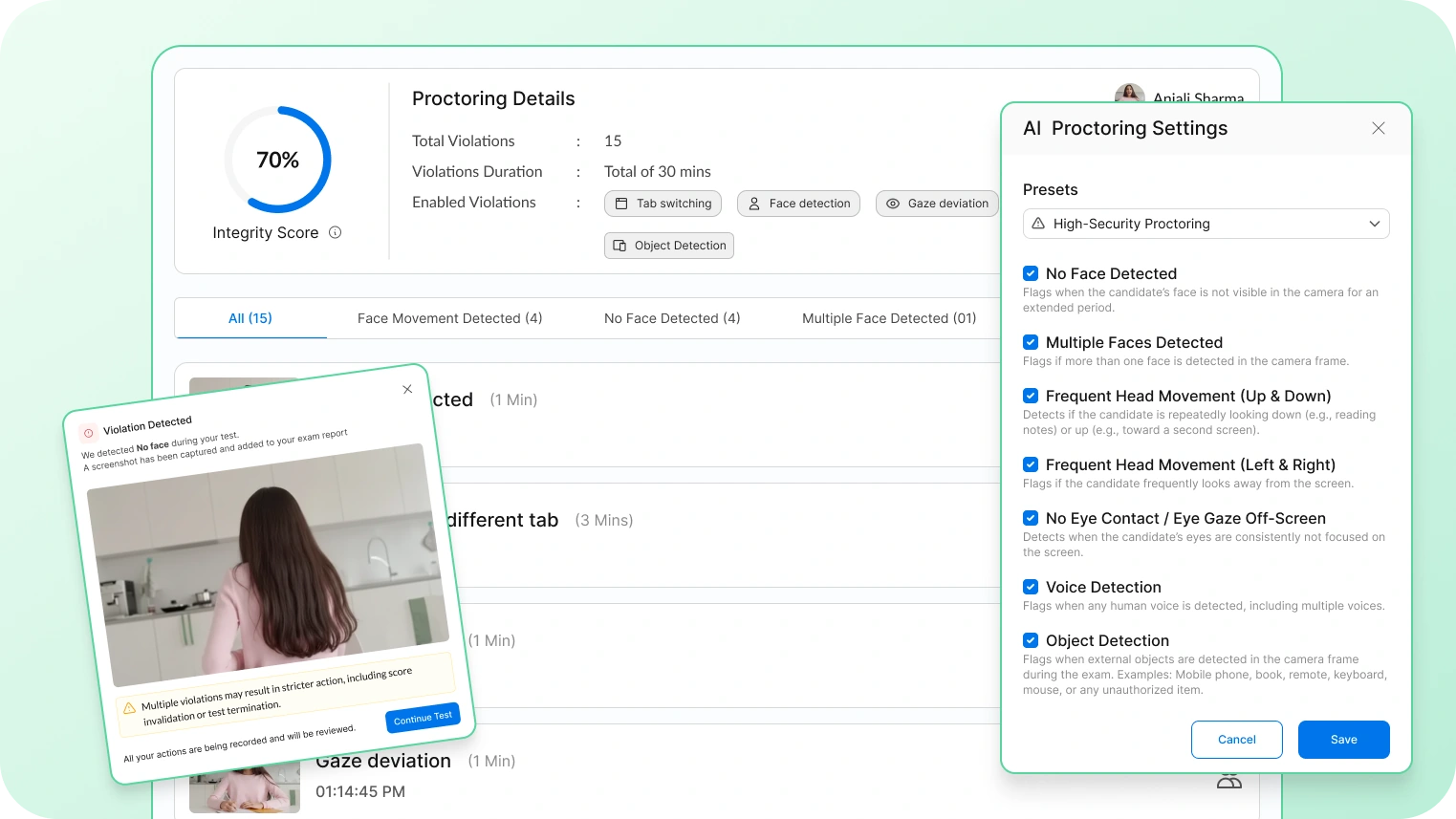
The gap: No proof a test was fair
Webcam checks and a tab-switch limit add up to one Integrity Score per student.
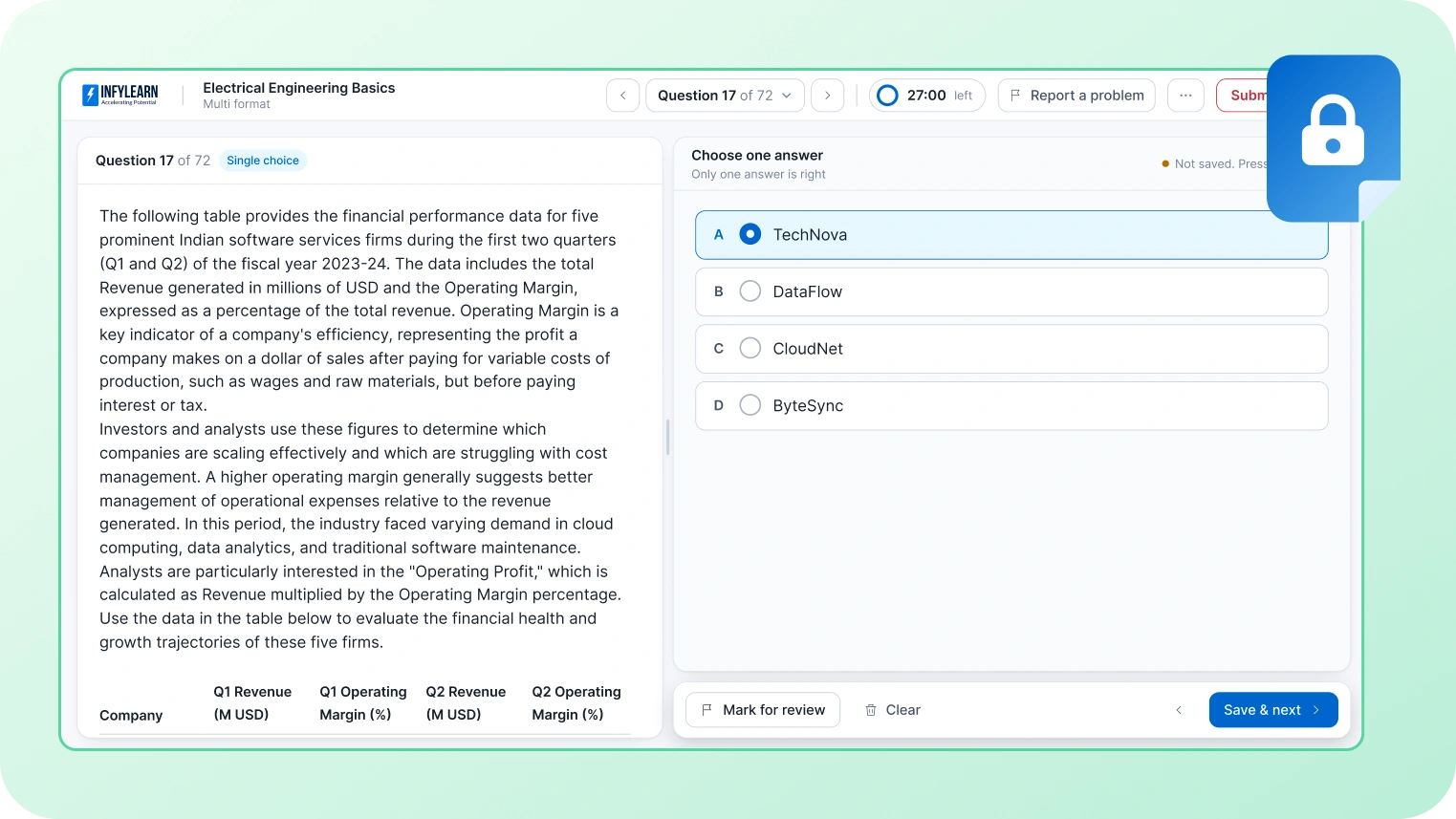
The gap: Students open other apps and second screens
Lab exams open only inside Safe Exam Browser. The test fills the screen, and remote desktop tools, meeting apps and second monitors stay out until the student submits.
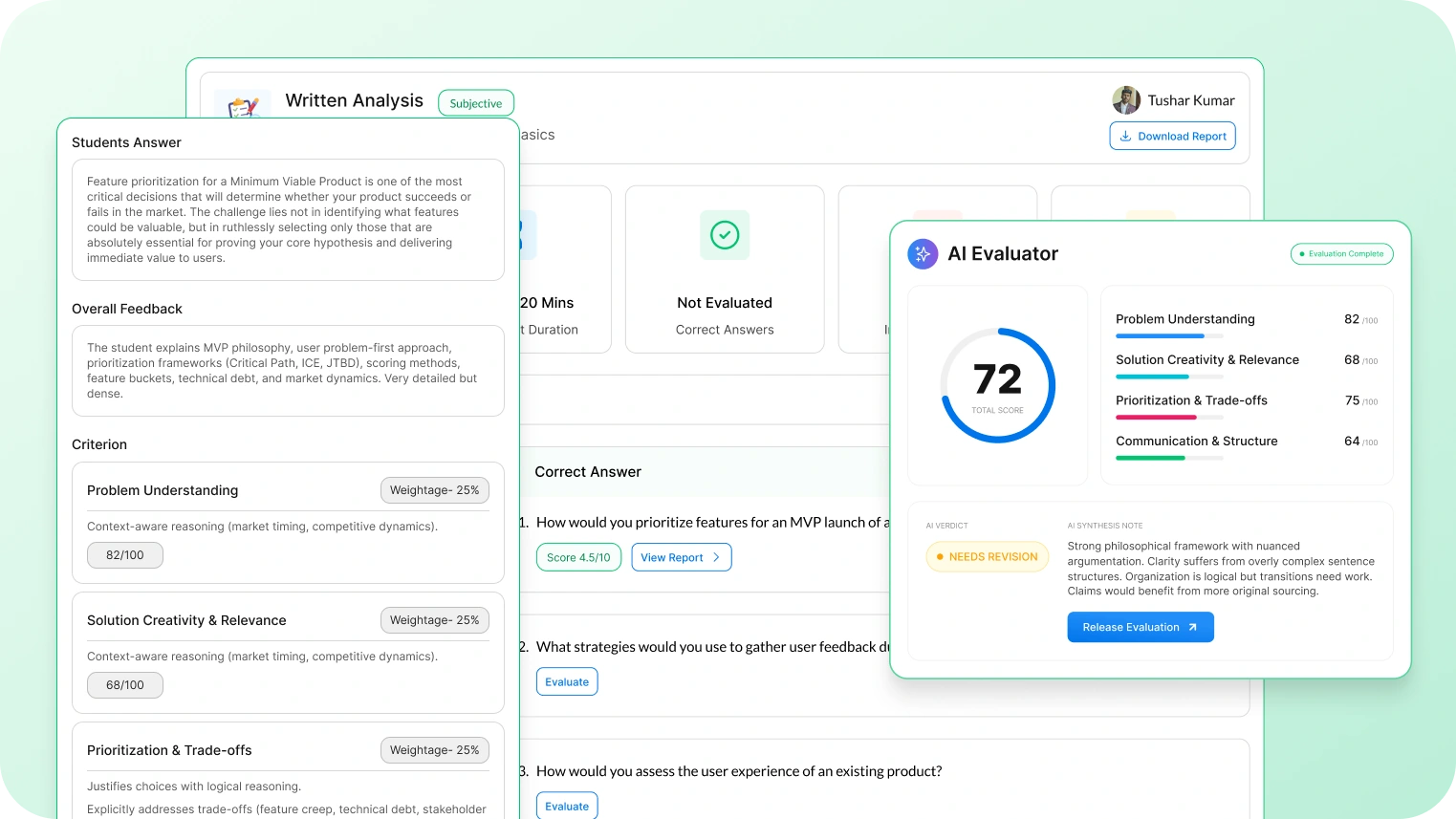
The gap: Marking written answers by hand eats faculty time
AI marking (Evaluate with AI) scores every written answer against the rubric and weights your faculty set.
The gap: Results sit in separate sheets
MCQ, written and coding marks in one test, on screen, as a PDF and in Excel.
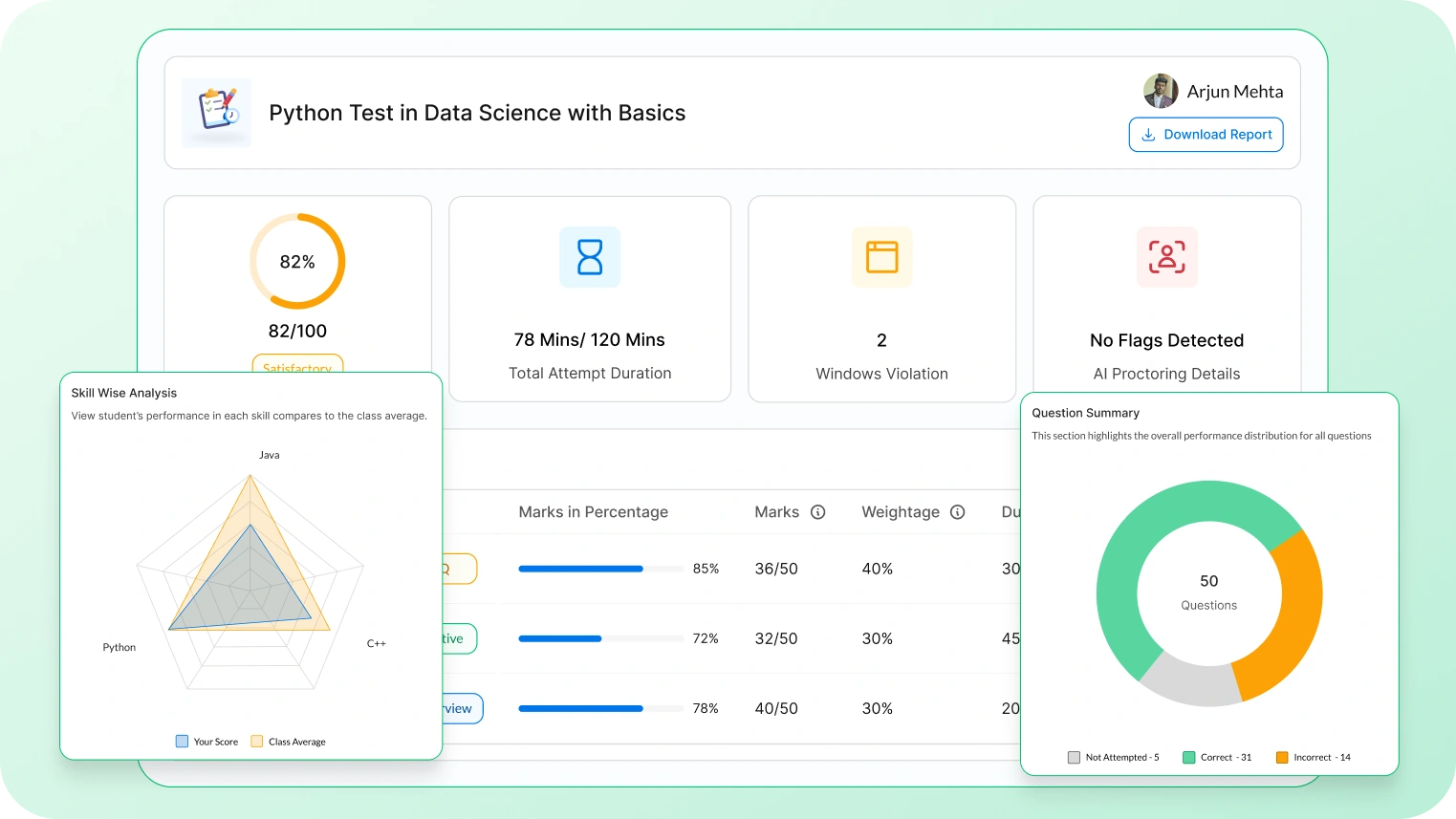
Pick your team to see how its tests run.
Mock rounds before each drive, proctored and ranked, with the cut-off you set. Employers run hiring tests the same way.
| # | Student | Aptitude | Coding | Written | Total | Integrity | Status |
|---|---|---|---|---|---|---|---|
| 1 | 23BCS031 | 45/50 | 35/40 | 8/10 | 88 | 94 | Passed |
| 2 | 23BCS112 | 44/50 | 34/40 | 8/10 | 86 | 90 | Passed |
| 3 | 23BCS047 | 41/50 | 36/40 | 8/10 | 85 | 86 | Passed |
| 4 | 23BCS058 | 43/50 | 33/40 | 7/10 | 83 | 70 | Passed ⚑ |
| 5 | 23BCS071 | 40/50 | 31/40 | 8/10 | 79 | 77 | Passed |
| 6 | 23BCS088 | 30/50 | 18/40 | 6/10 | 54 | 92 | Failed |
Set each company’s topic and difficulty mix. Check the Integrity Score before you share the list.
Invite candidates by email or share a link limited to your email domain. Get a shortlist with scores and Integrity Scores.
Aptitude screening · 340 applicantsShortlist: 48 above the cut-off
Practice sets during training, then the same sections, skills and difficulty mix twice, so each student’s two reports line up.
Both use the same question bank and report format, with different settings.
The whole batch, by section and skill.
Skills below the class average.
Practice sets between the two tests.
Same sections and difficulty mix.
Every test gives the student a full report. Compare the baseline and re-test, or export the batch to Excel.
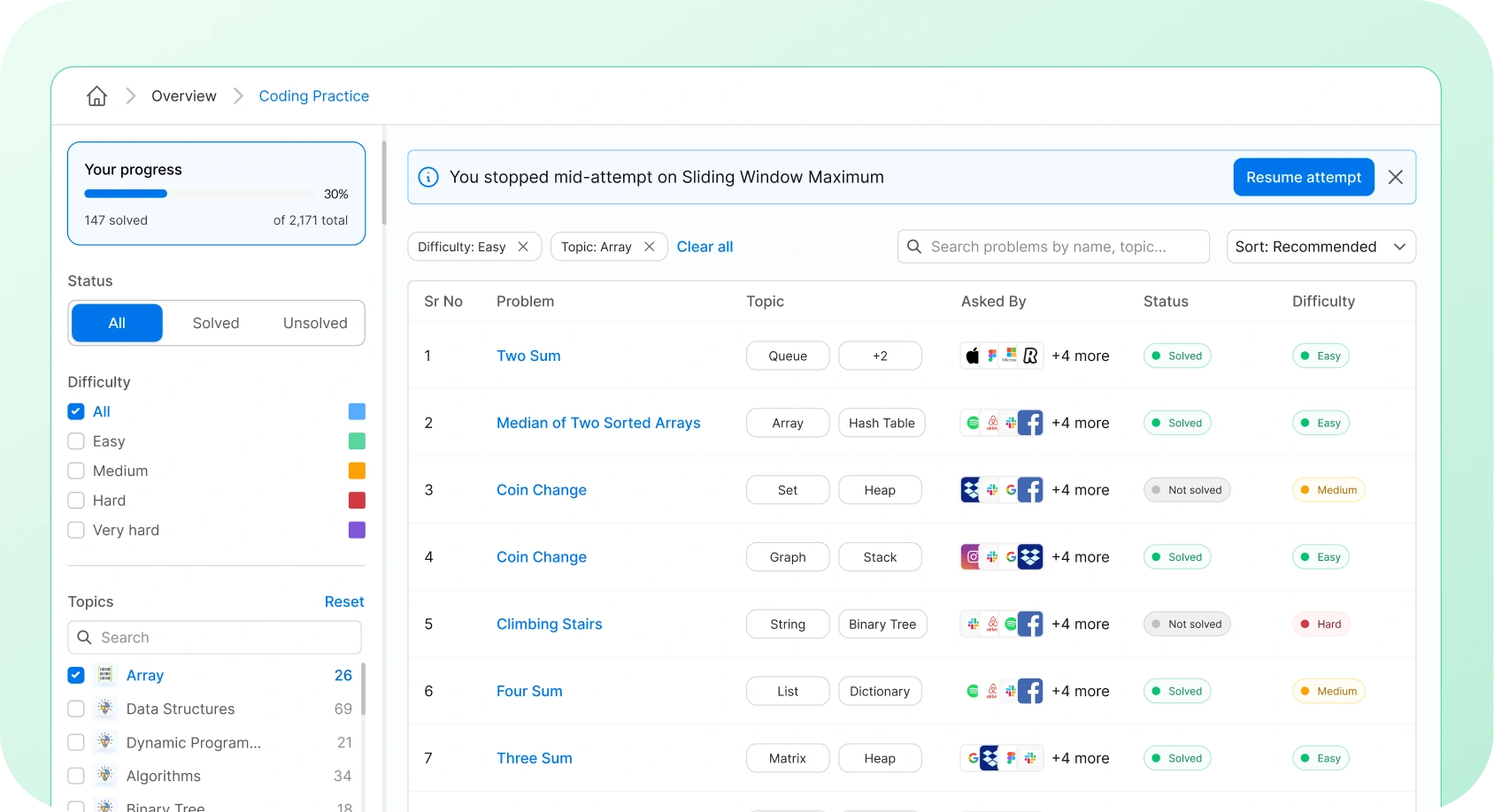
Aptitude and coding practice by topic and difficulty, with as many attempts as you allow. Practice runs on the same platform as the graded tests.
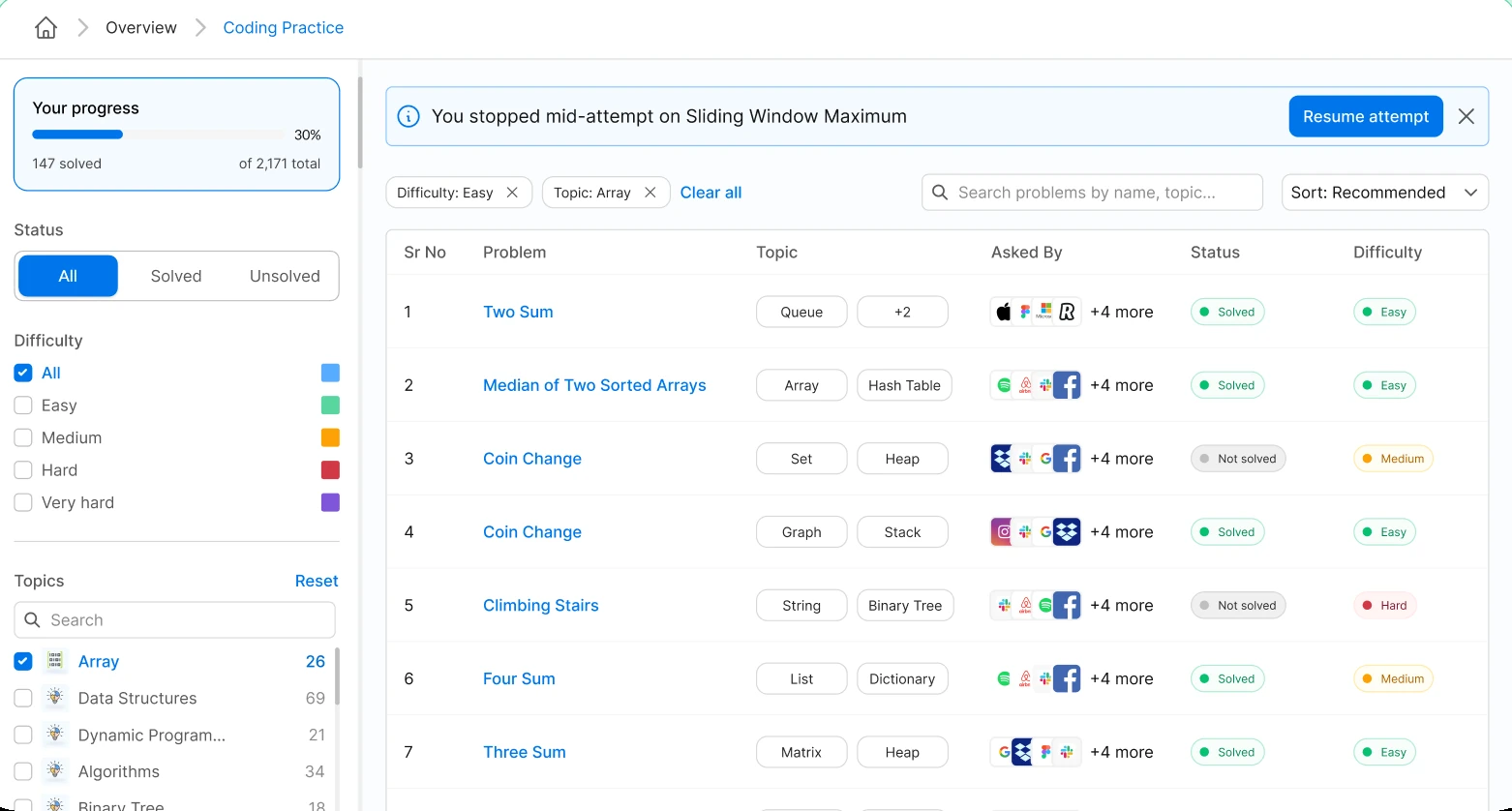
Students pick a topic and level, run their code on the sample cases, then submit against the hidden ones. Every attempt feeds the Coding Report.
Internal, mid-term and end-term exams with the controls your exam cell expects, before, during and after.
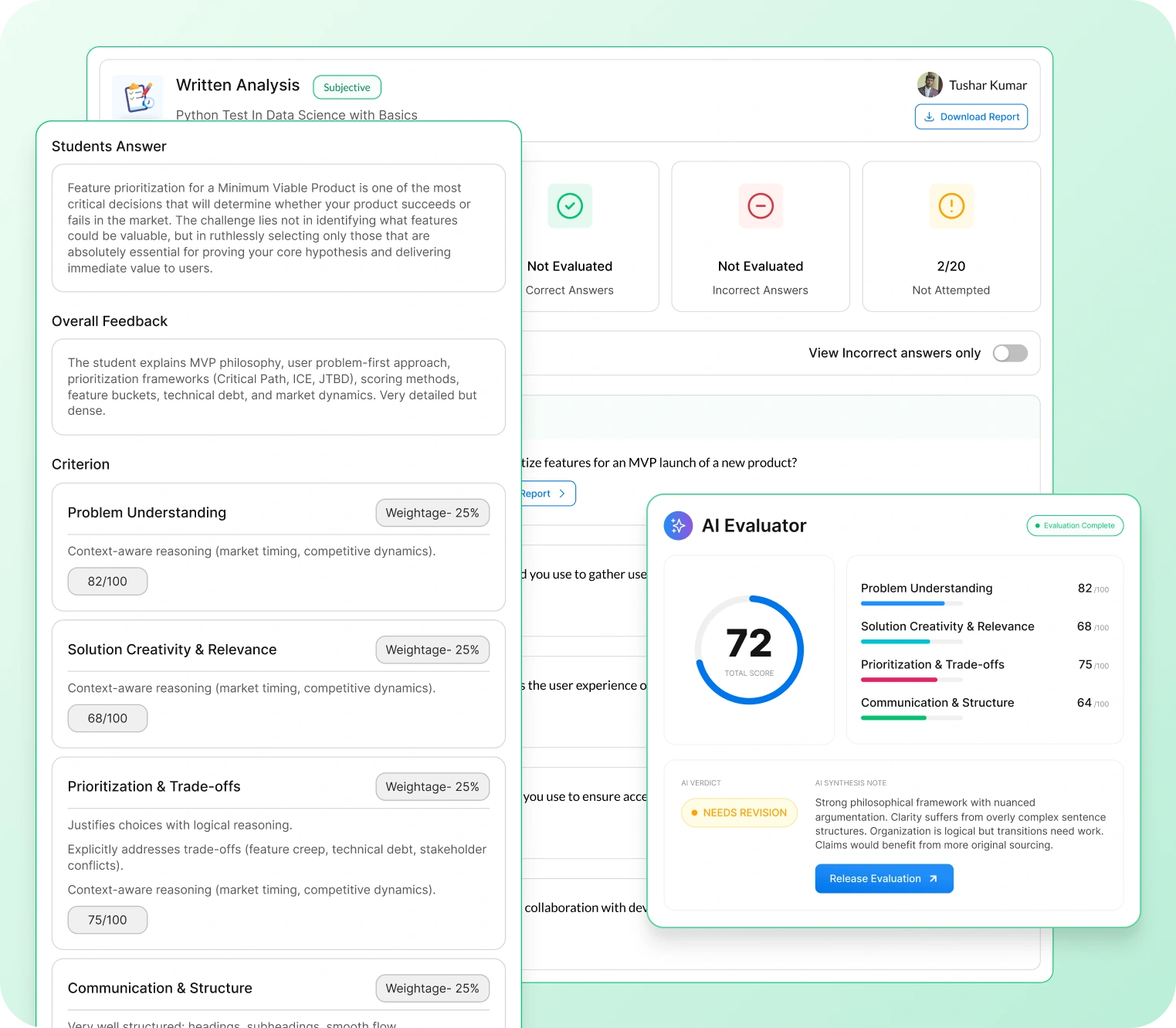
Set criteria and weights once per question. Evaluate with AI scores every written answer against them and saves the mark, with feedback on each criterion.
Faculty write the rubric. The AI gives a score and a reason for each criterion, and the weights decide the total.
| Criterion | Weight | AI score |
|---|---|---|
| Concept | 40% | 8/10 |
| Application | 40% | 7/10 |
| Presentation | 20% | 9/10 |
| Weighted total | 100% | 7.8/10 |
Your team builds the test, or ours builds it with you.
Your admin names the test and chooses a general test, a practice set or coding practice.
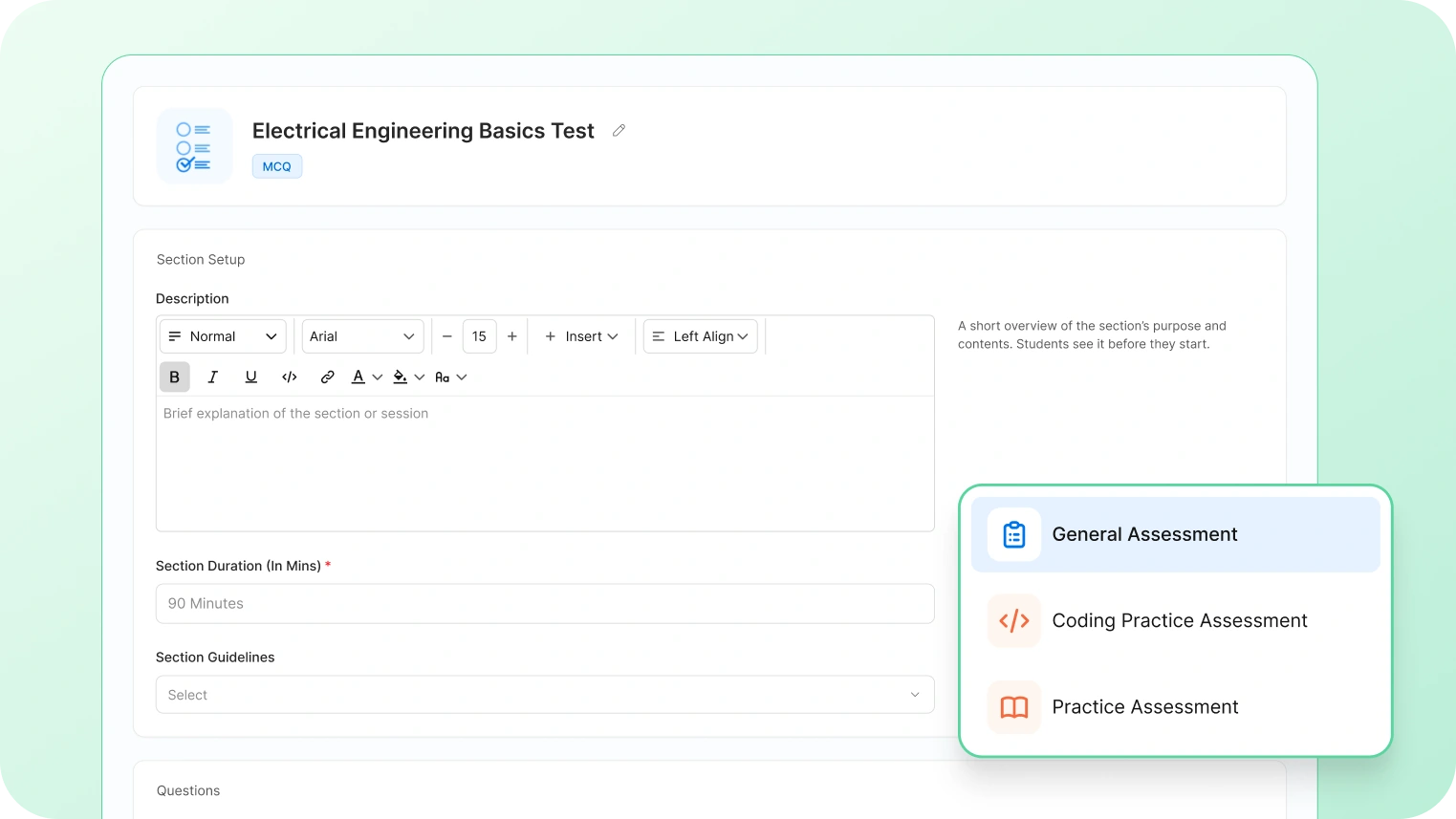
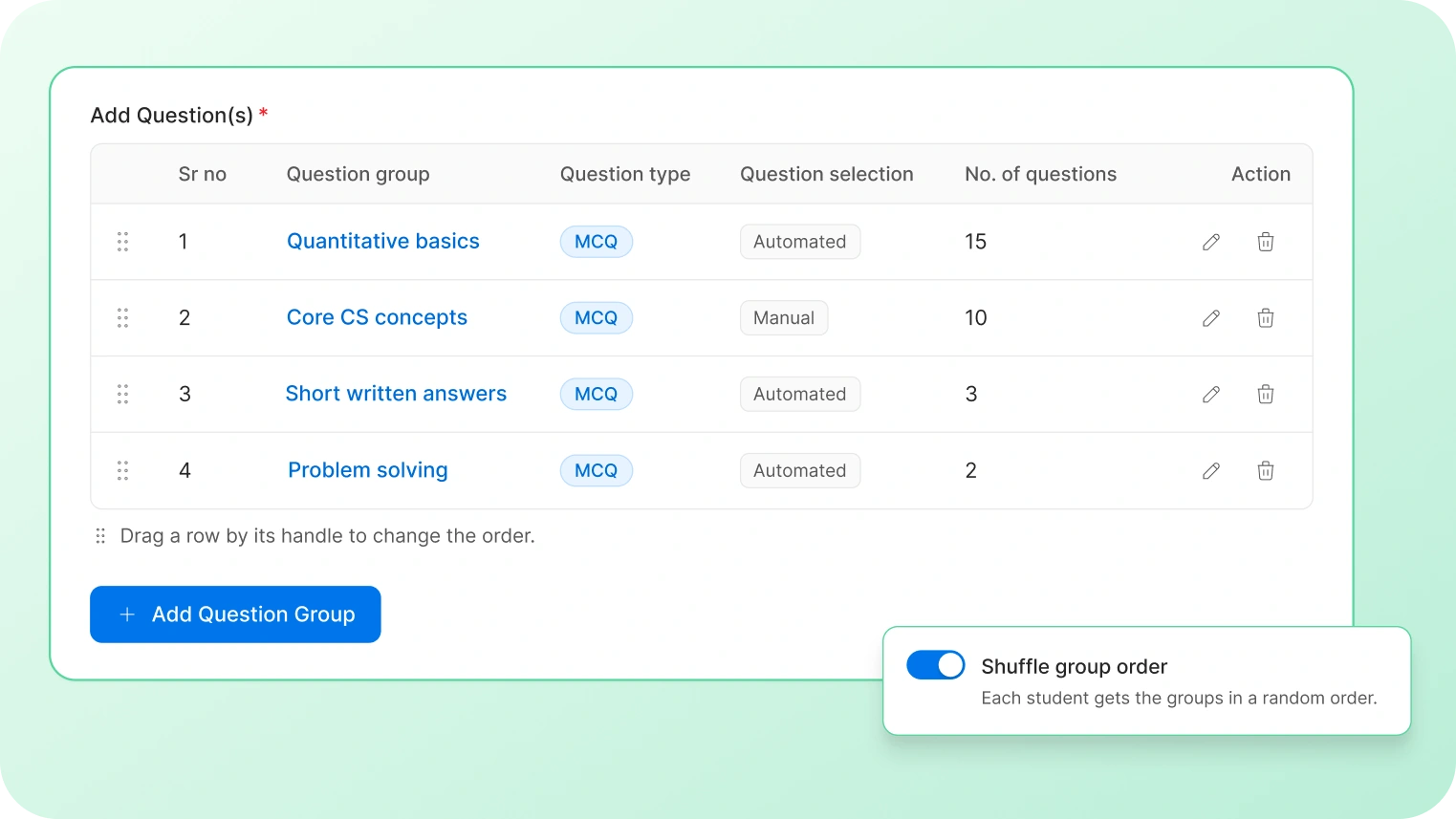
Add question groups for the test from your question bank or ours. Only a Multi-Format test can mix MCQ, written and coding sections in the same test.
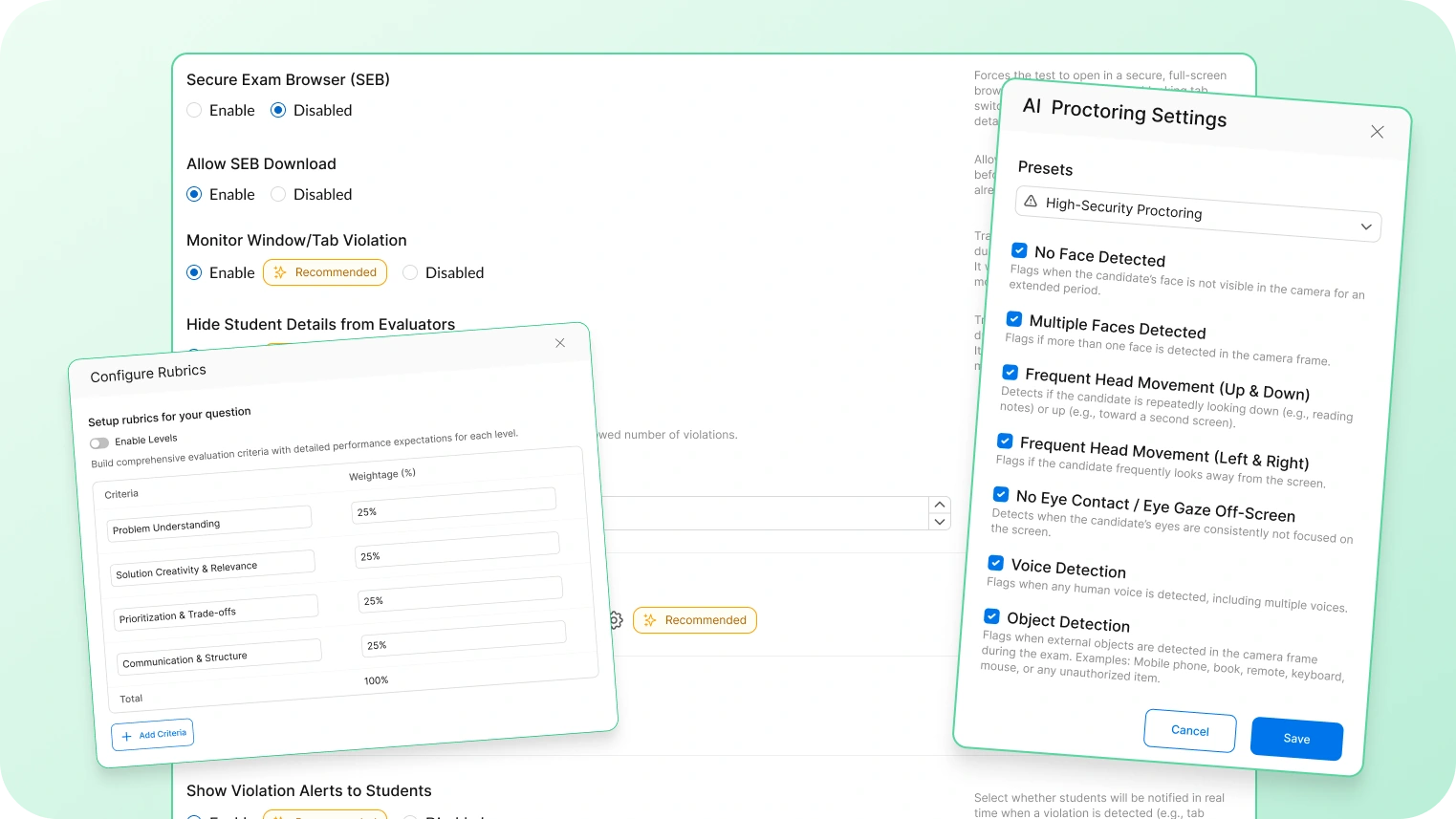
Set results, attempts, the pass mark and proctoring, with a tab-switch limit or Safe Exam Browser, and a check confirms it all before you publish.
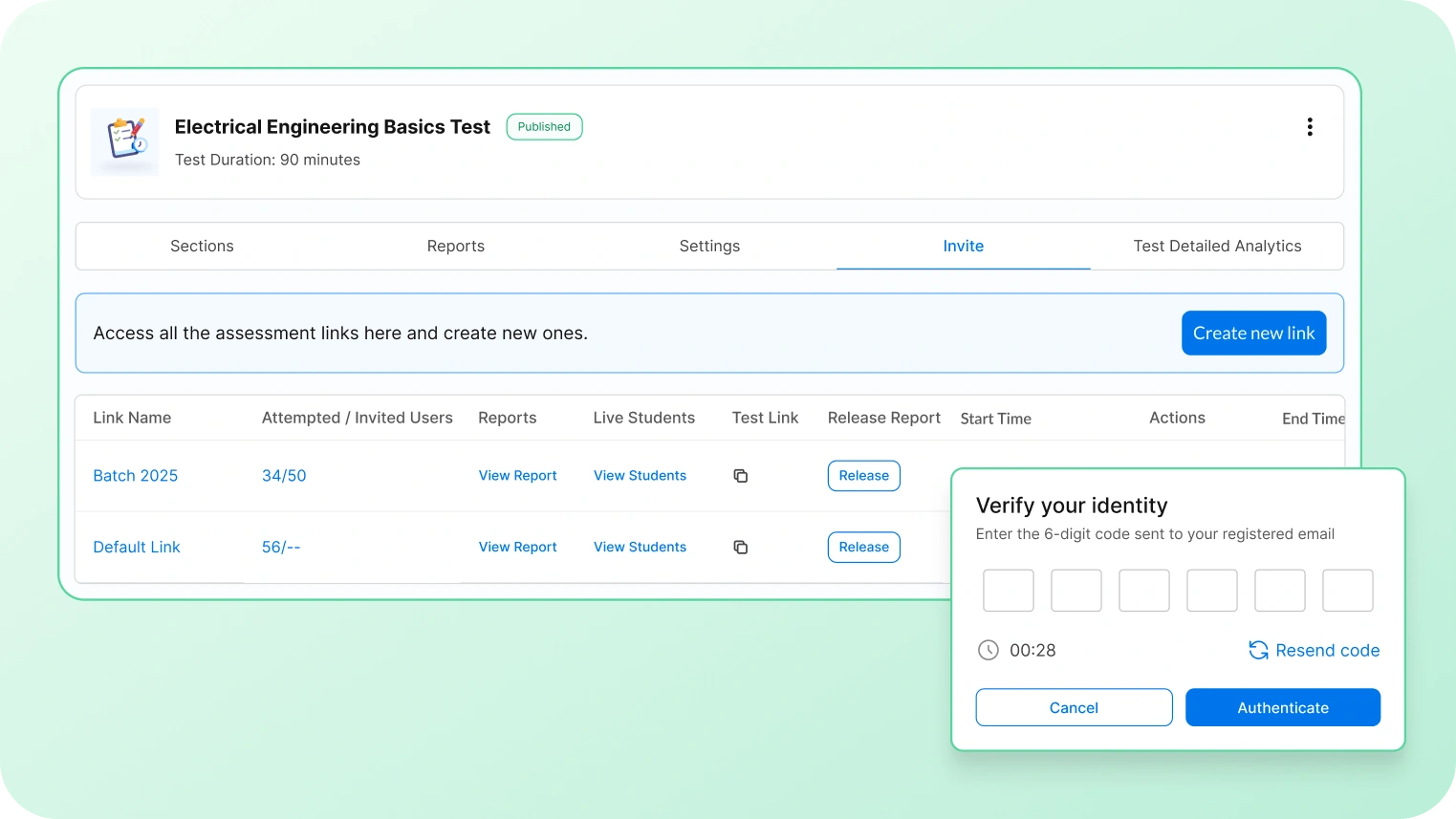
Email a list or upload a CSV, with 6-digit access codes if you want them, or share a link limited to your email domain.
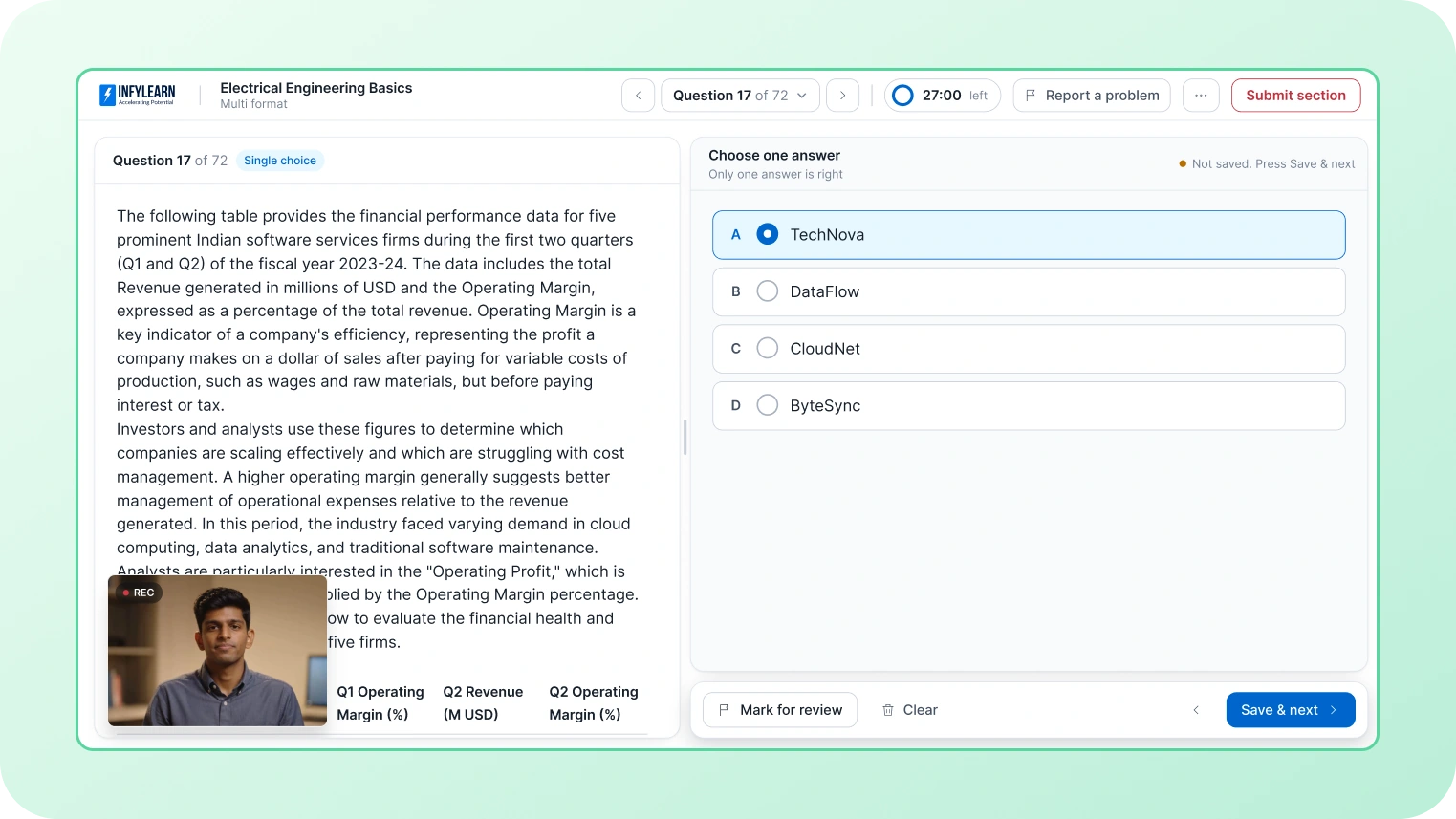
Students sit the test, and Evaluate with AI marks the written answers to your rubric for faculty to review.
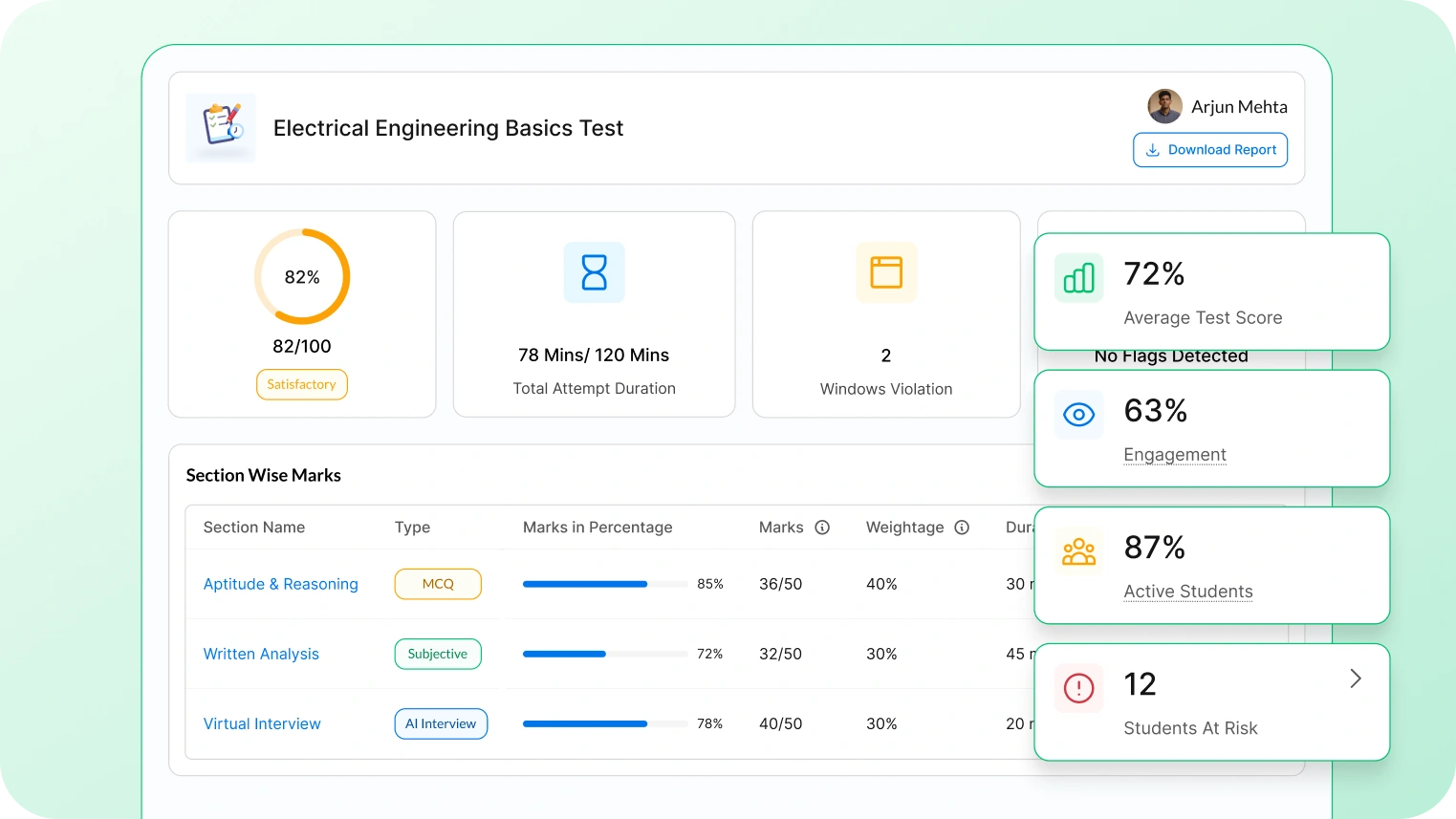
Each student gets a report and PDF, and your team exports the whole test to Excel.
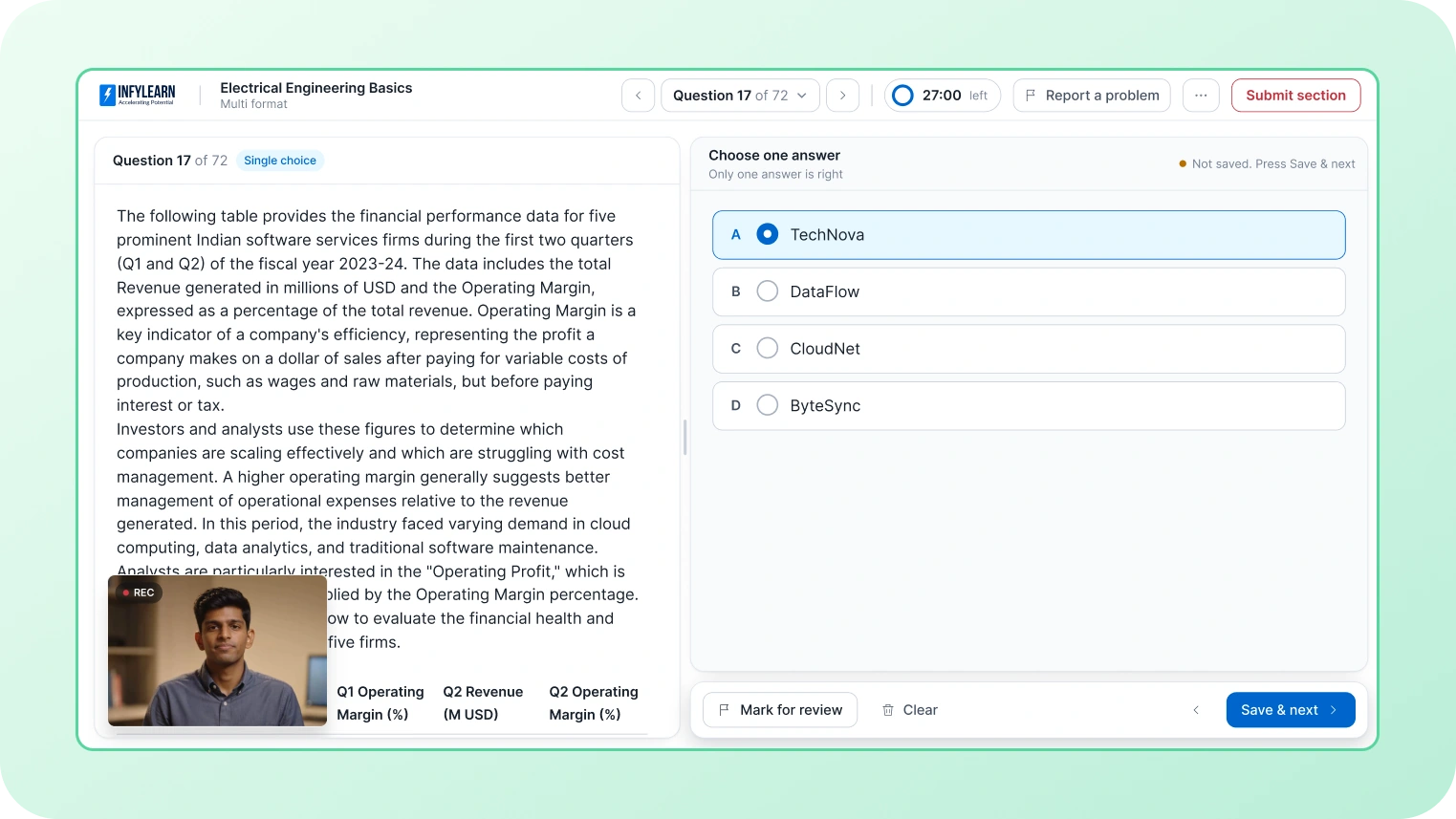
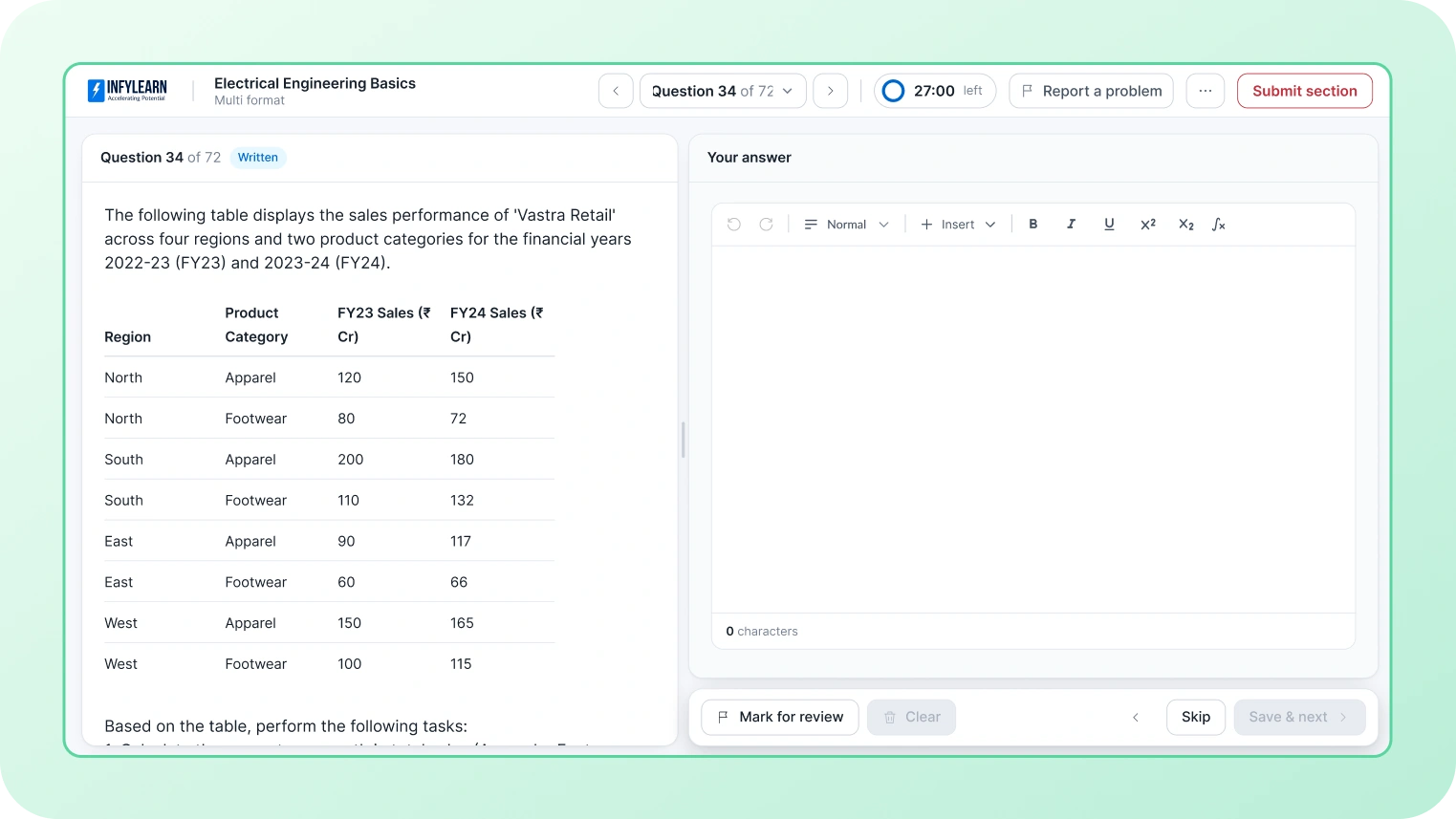
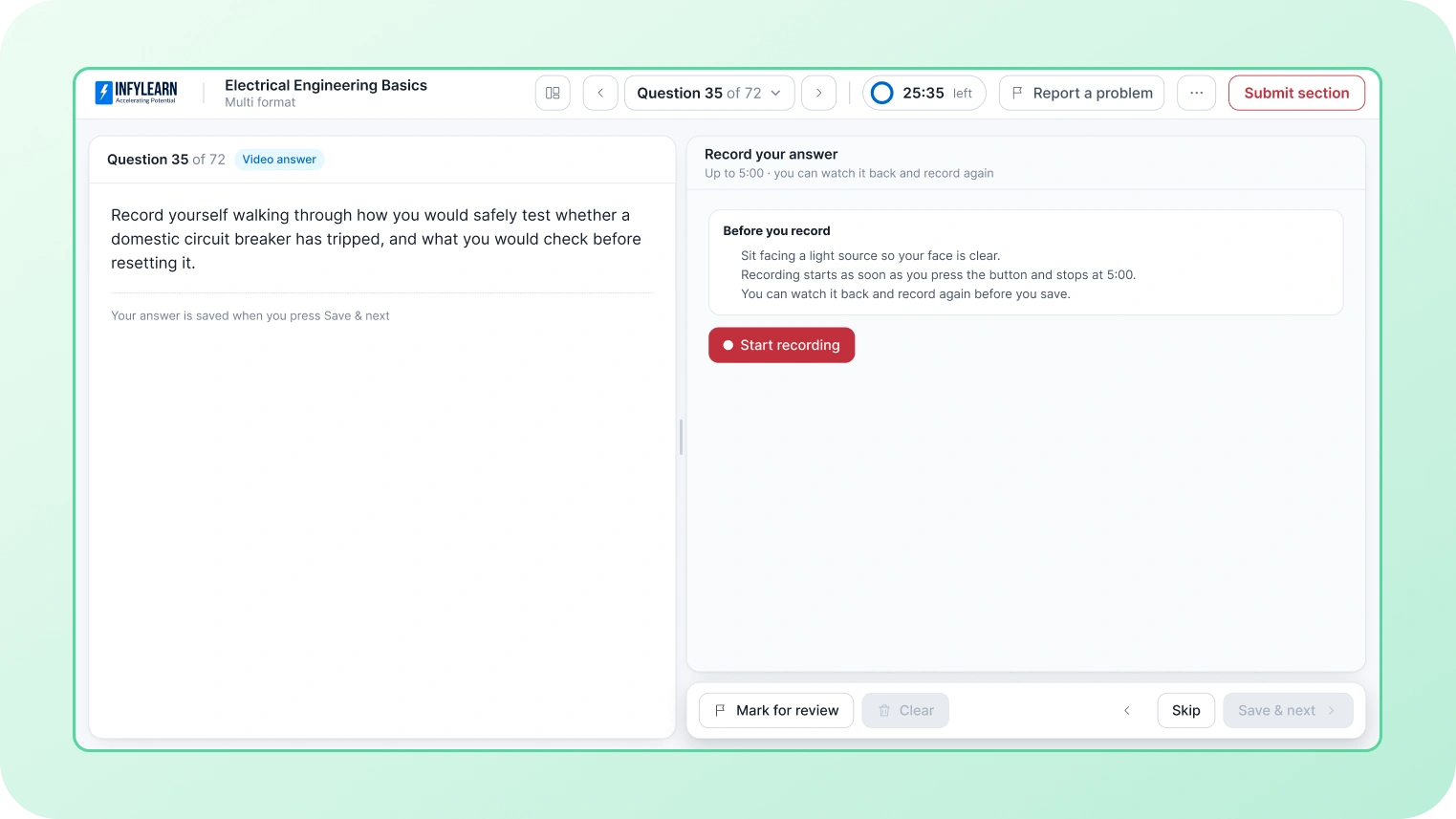
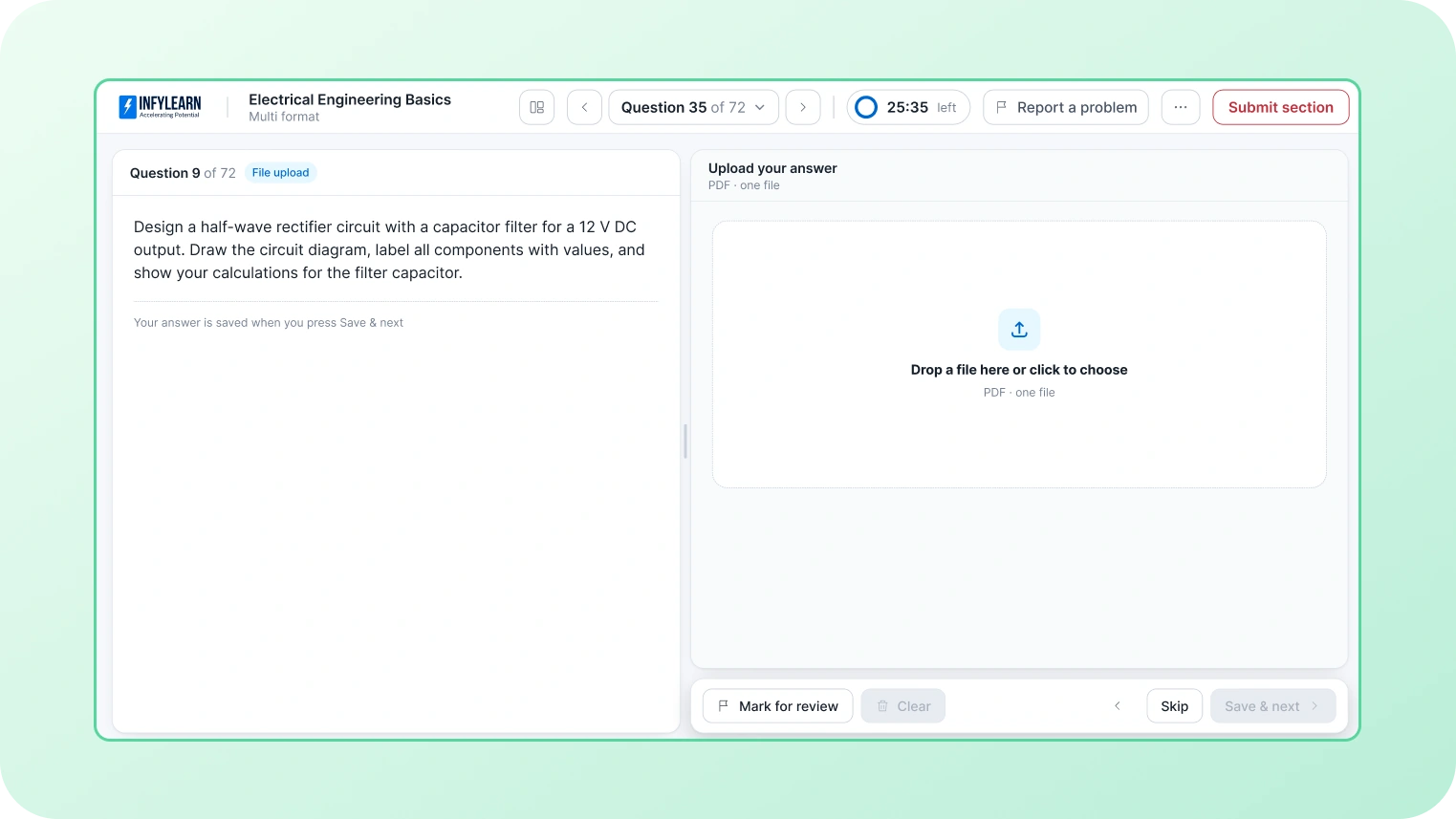
Each section has its own timer and marks. A Multi-Format test mixes MCQ, written and coding sections; written answers can be typed, or uploaded as a file or a video.
Students move around the paper freely and mark questions to come back to.
A formatted editor with a word count. Marked against the rubric your faculty set.
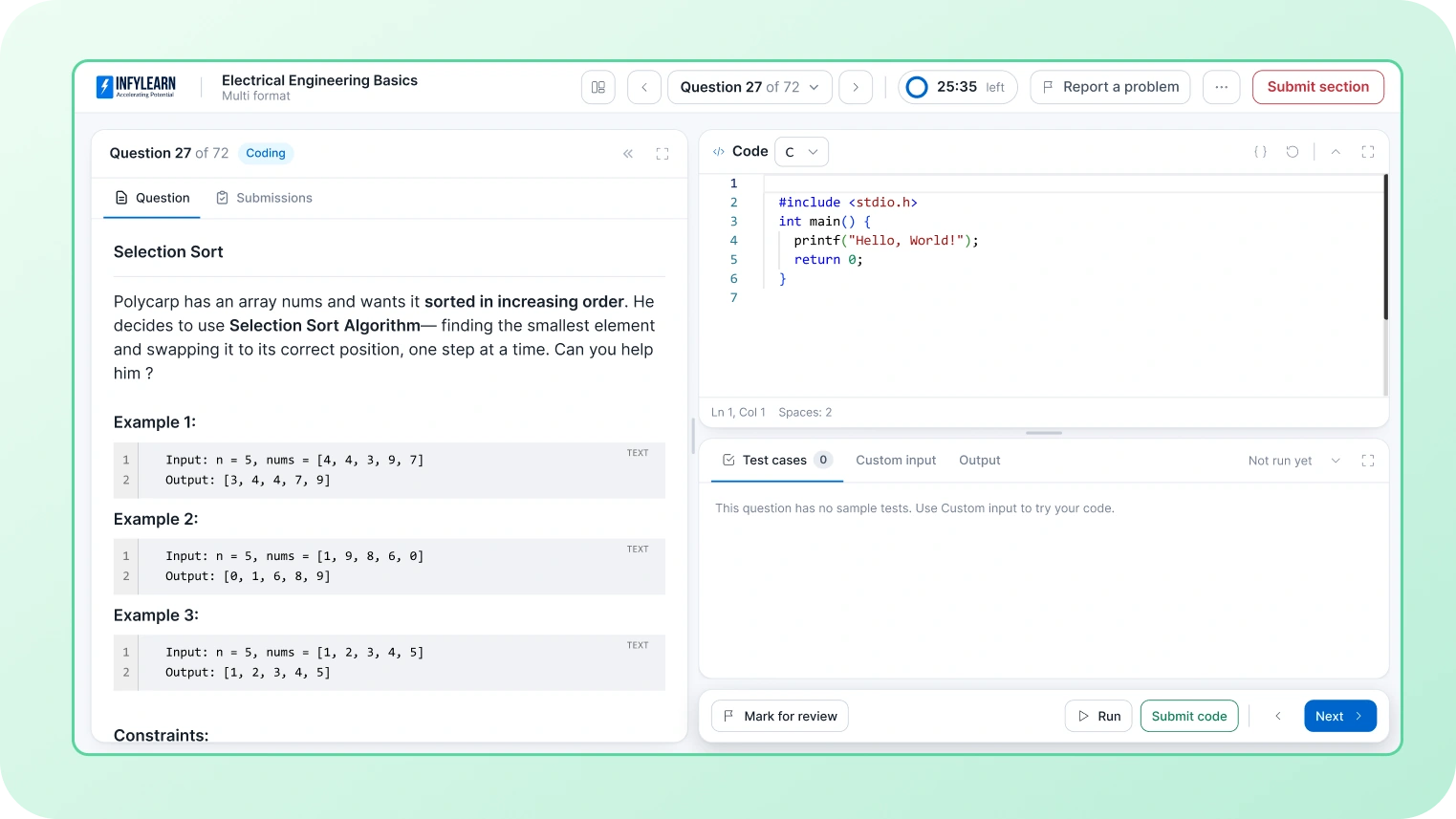
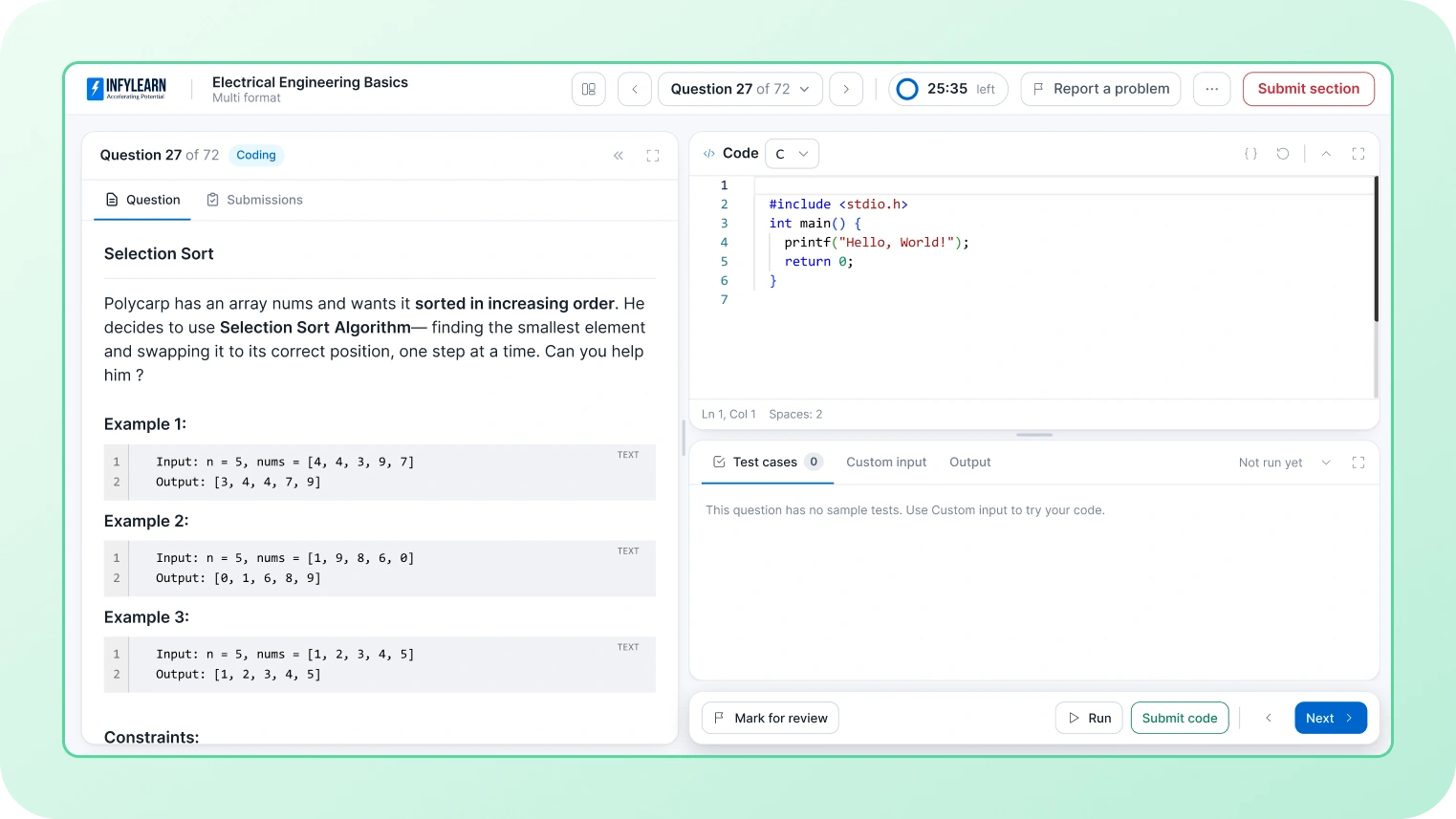
A real editor with the problem, examples and a language picker, inside the same assessment.
A spoken answer uploaded as a video, with a time limit you set per question.
Lab reports, assignments and project work uploaded inside the test, marked against a rubric.
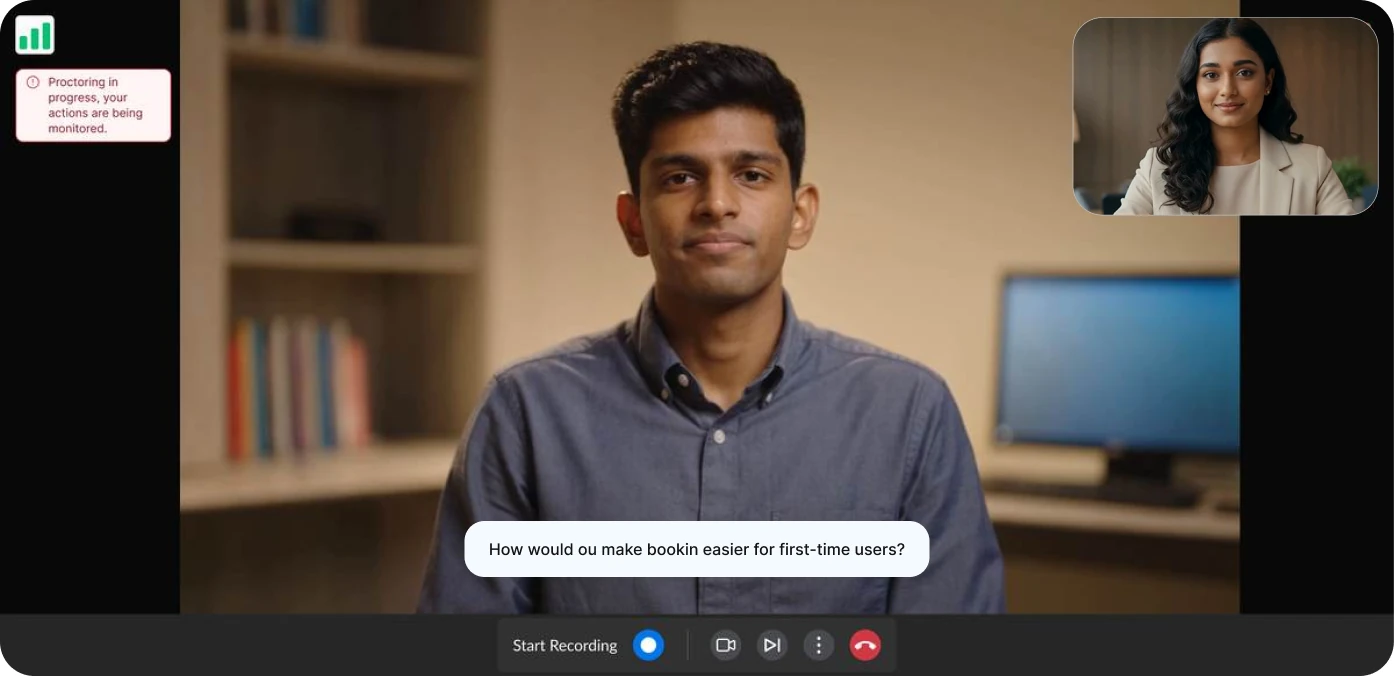
Add an AI interview as a section. Students answer on camera, the questions come from the job role and their resume, and the score sits in the same report as the other sections.
Pick the Multi-Format test type to put MCQ, written and coding sections in the same test, each with its own timer and marks, and one report at the end.
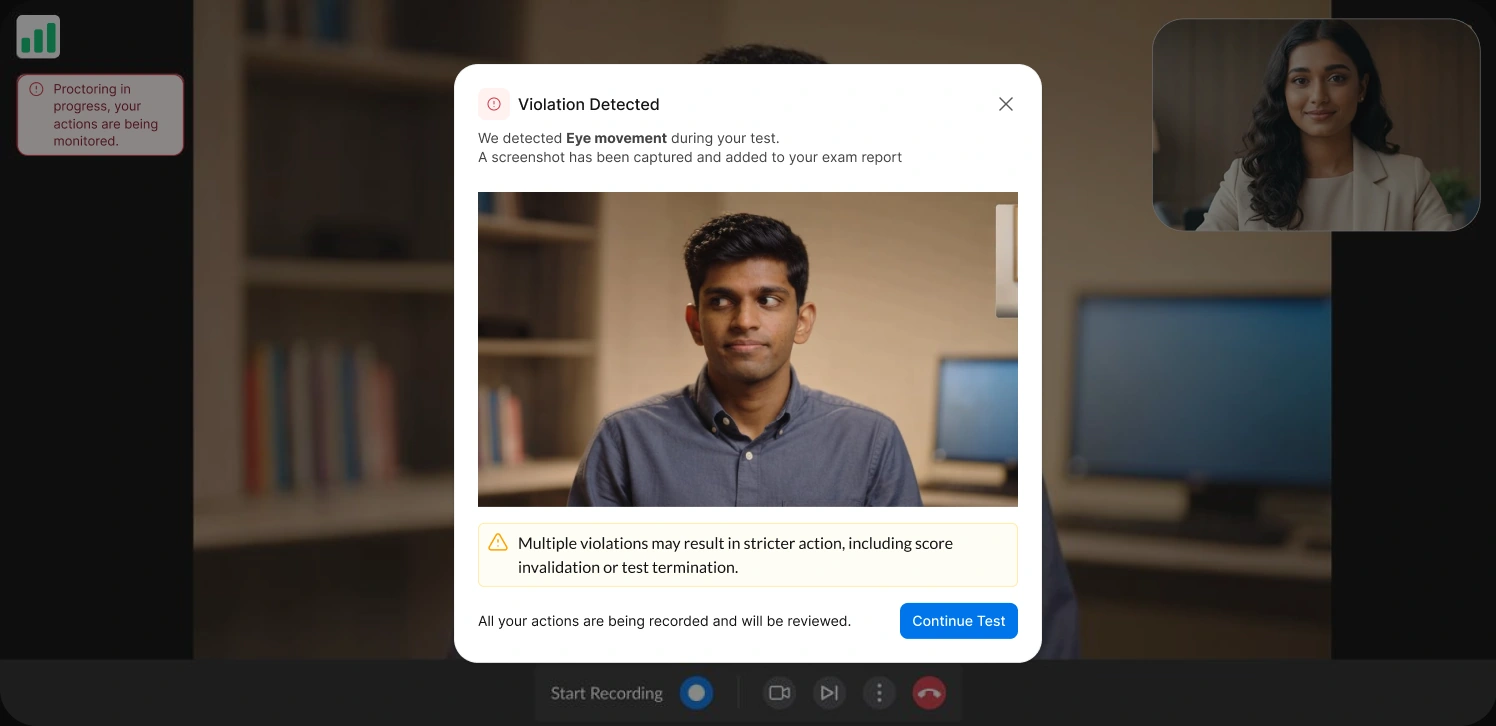
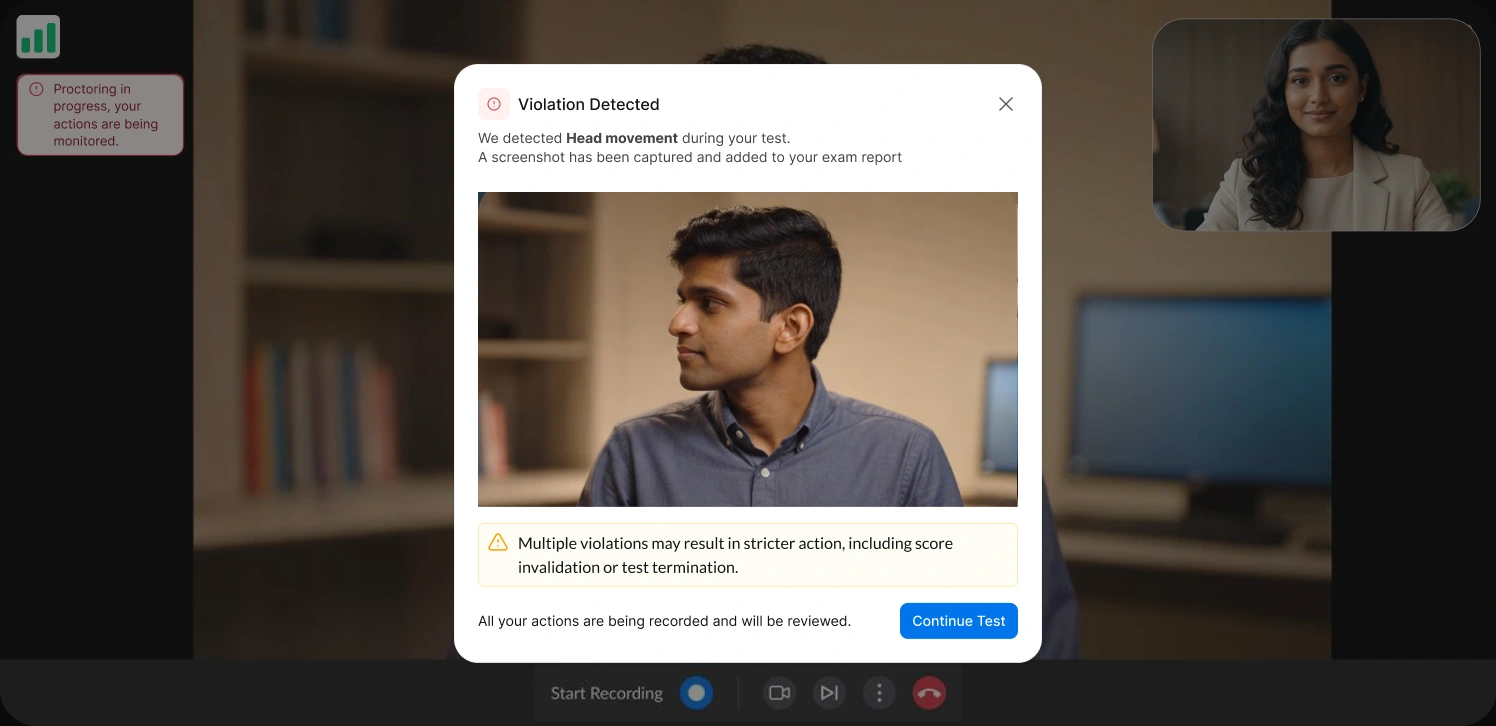
Switch on the checks each test needs. Every flag saves a photo to the student’s report, and your team decides what it means.
Flags go to the student’s report, beside the score. Your team decides what they mean.
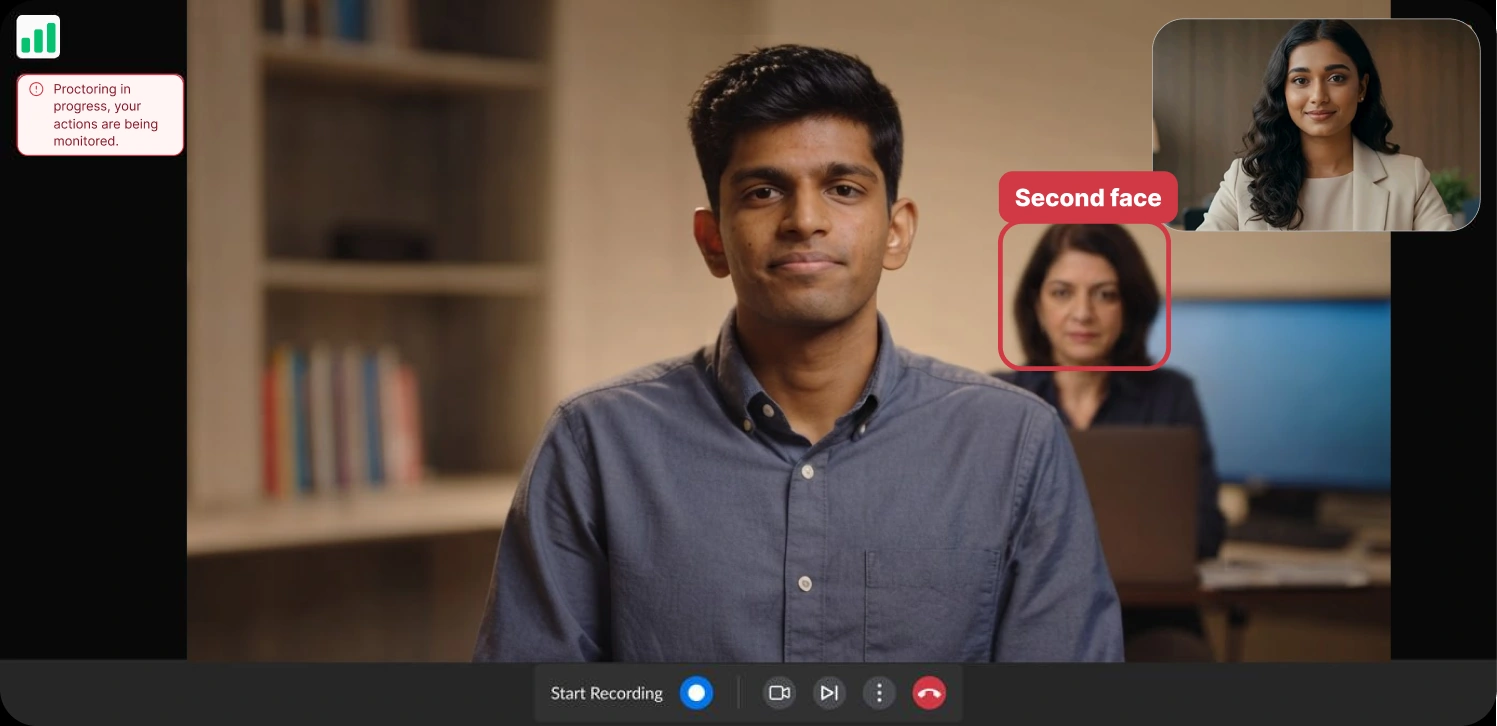
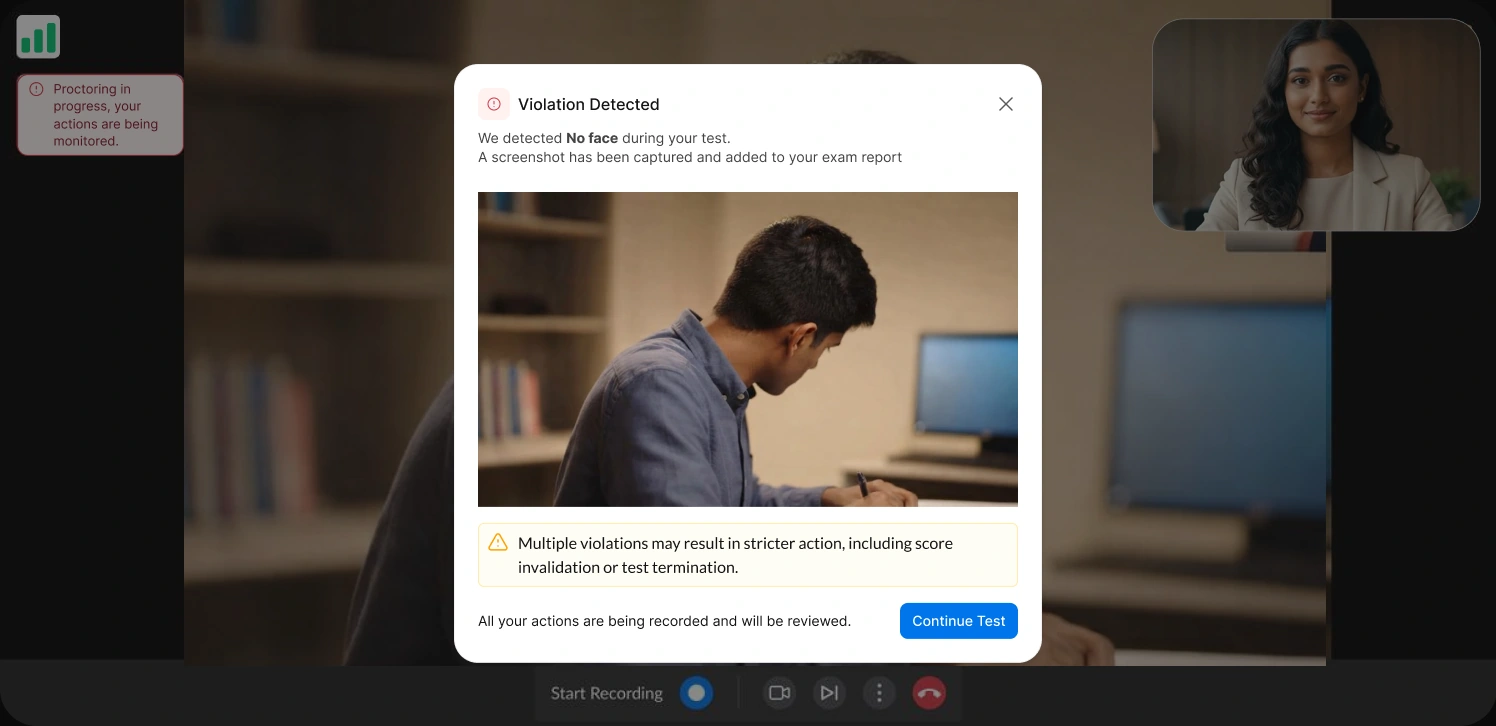
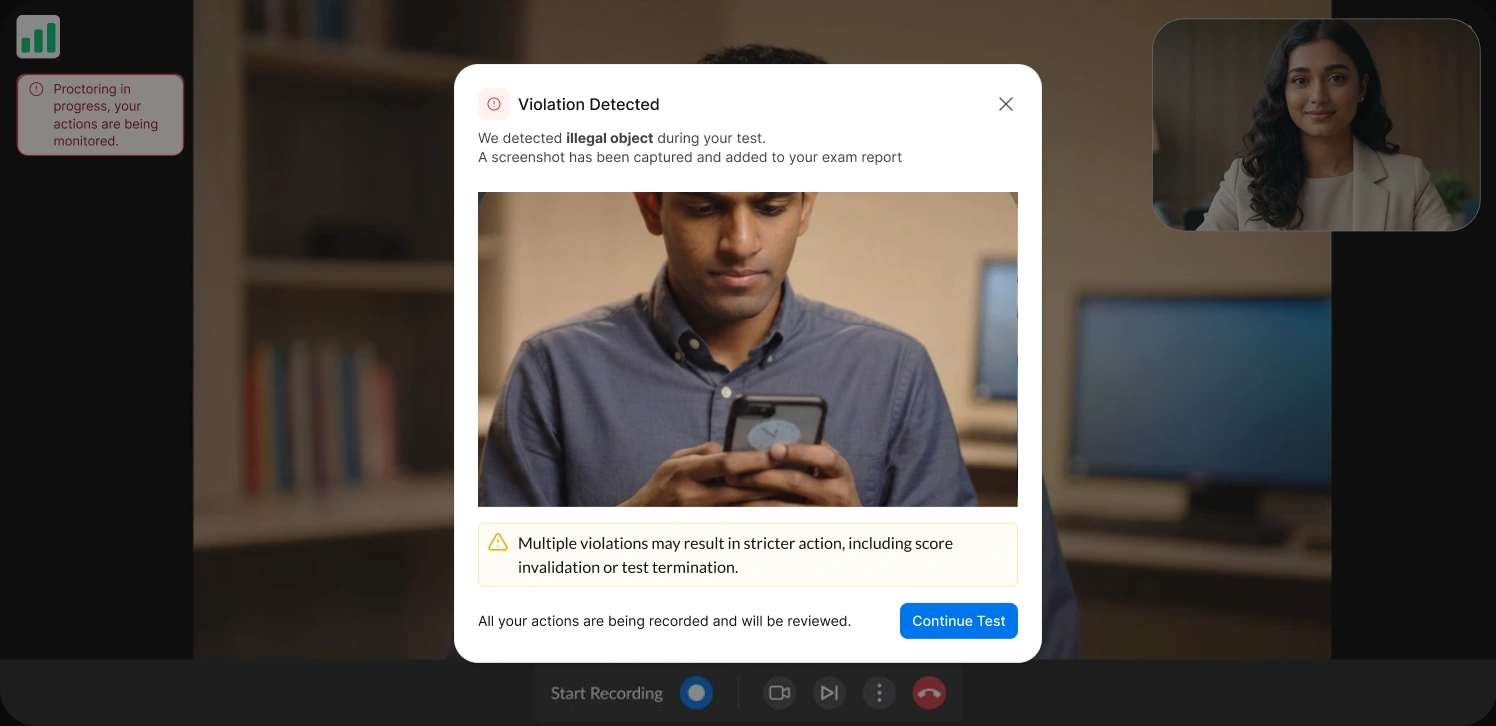
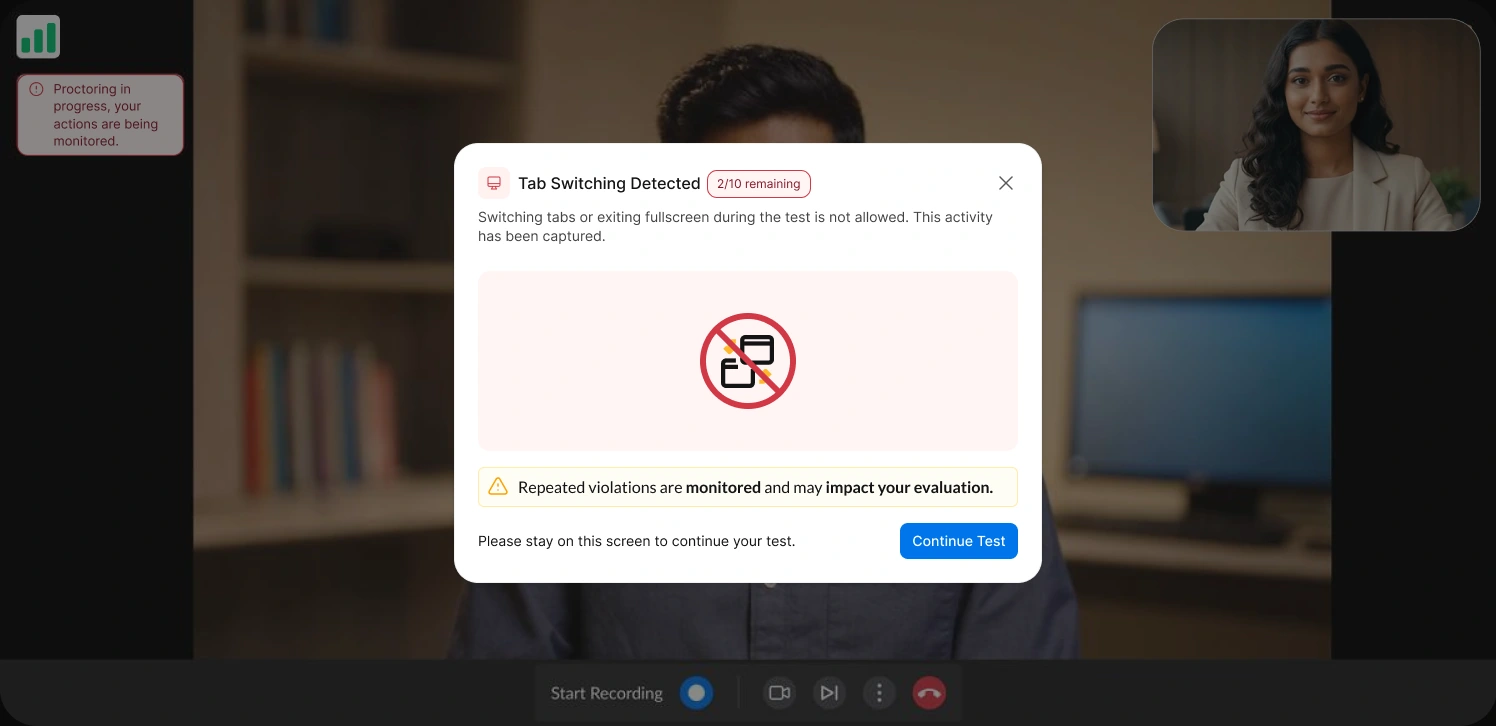
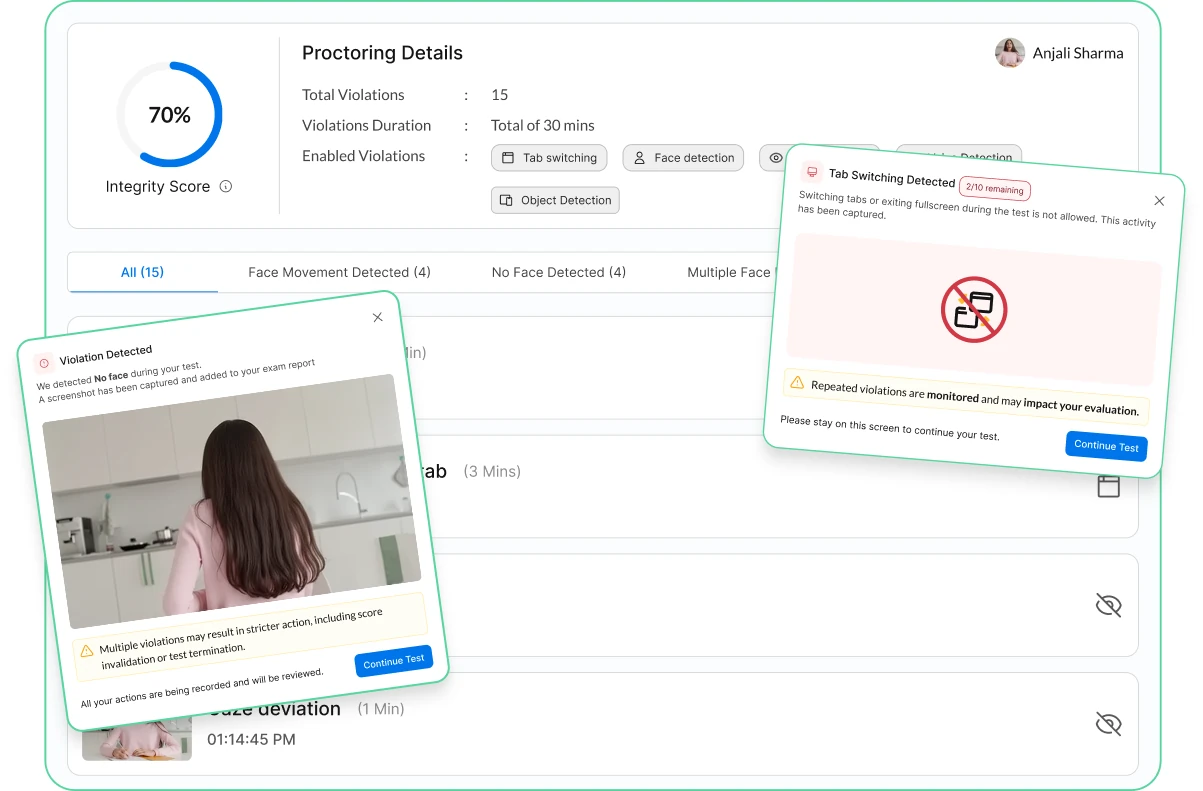
For lab exams, Infy Assess opens the test only inside Safe Exam Browser, a locked exam browser.
Every criterion gets a score and a reason, and your faculty’s weights set the total. Students see results only when you allow.
For theory, case and descriptive answers, across the whole paper.
Criteria and a weight for each, per question. The weights must add up to 100%.
Each criterion gets its own score and reason, measured against the rubric.
“Iron losses depend on voltage and frequency, which stay fixed, so they do not change with load. Copper losses follow I²R…”
Open any answer, change a score or the feedback, and save. Students see results when your result setting allows.
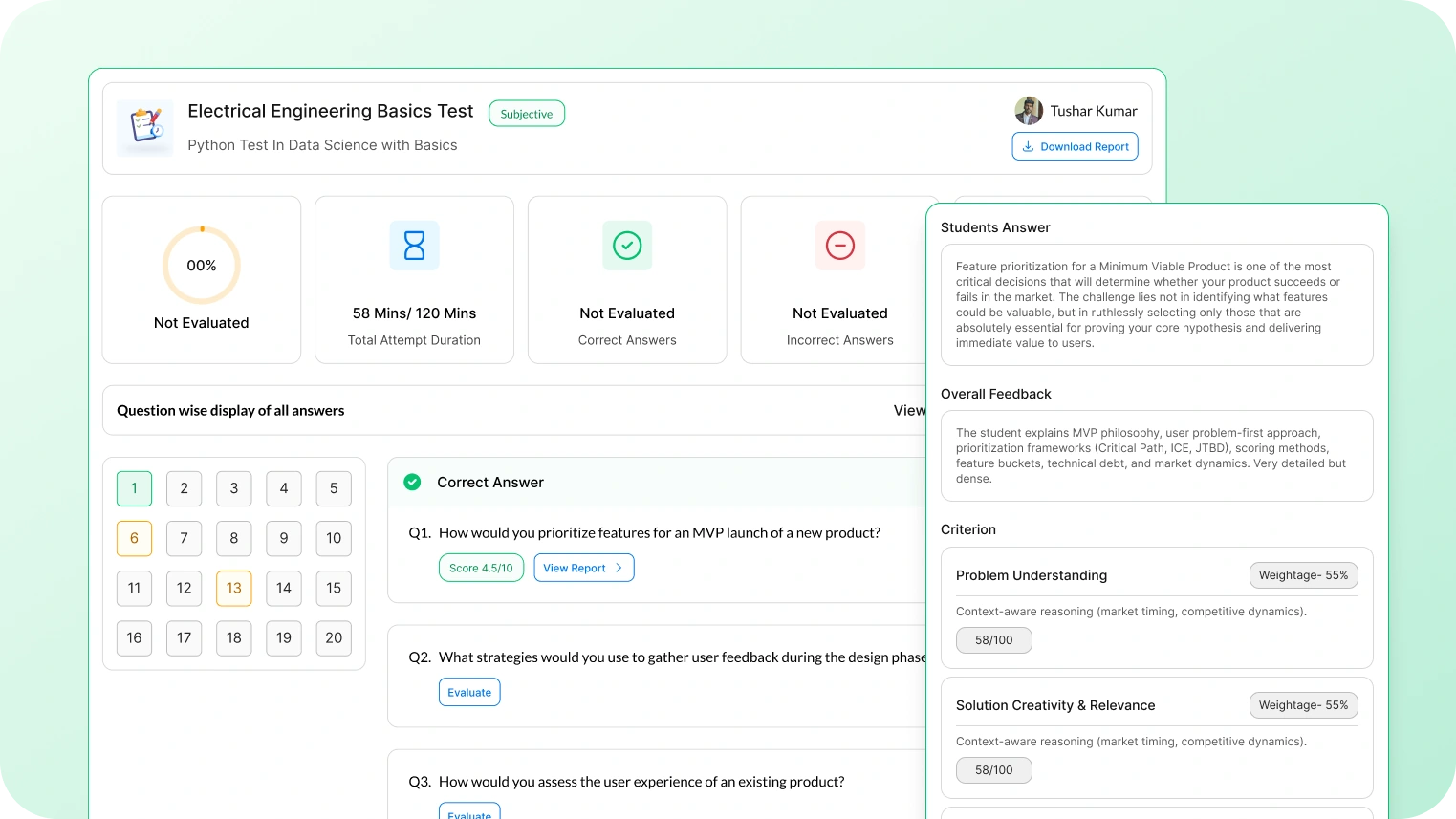
For each answer, faculty see the student’s response, the overall feedback and a score for every rubric criterion with its weight.
Students practise from a problem library, and each one gets a Coding Report.
Add a coding section to any test. Students run their code on sample cases, then submit against hidden ones; marks follow the cases passed.
Students work through it on their own time, filtered by topic, difficulty and solved status, in the same editor the graded tests use.
Per student: accuracy by difficulty and topic skills against the batch. For the batch: topic mastery, students at risk and Placement Readiness.
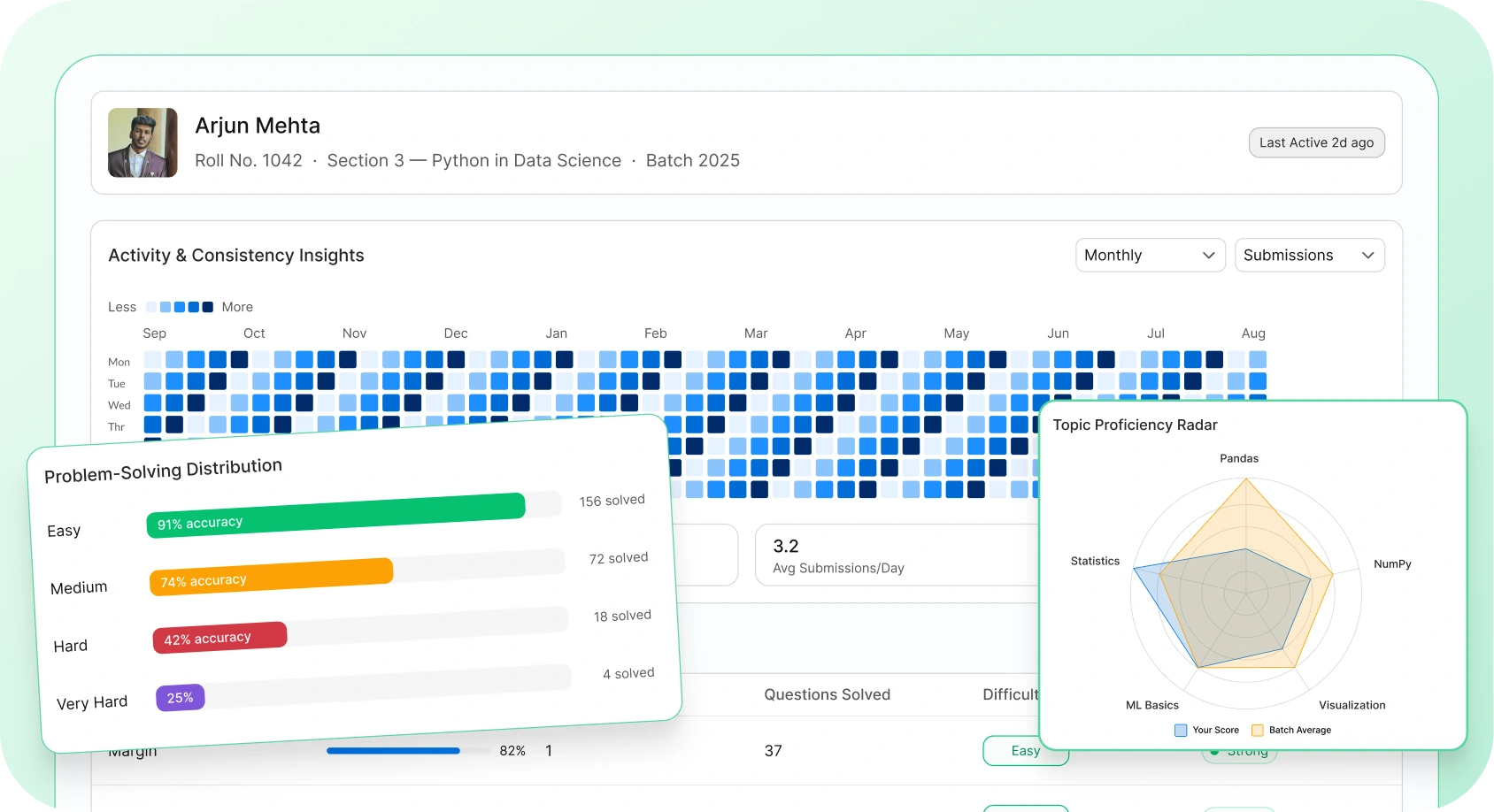
See it on screen, download a PDF for each student, or export the whole test to Excel.
Every answer with its time taken, the overall feedback and a weighted score for each rubric criterion.
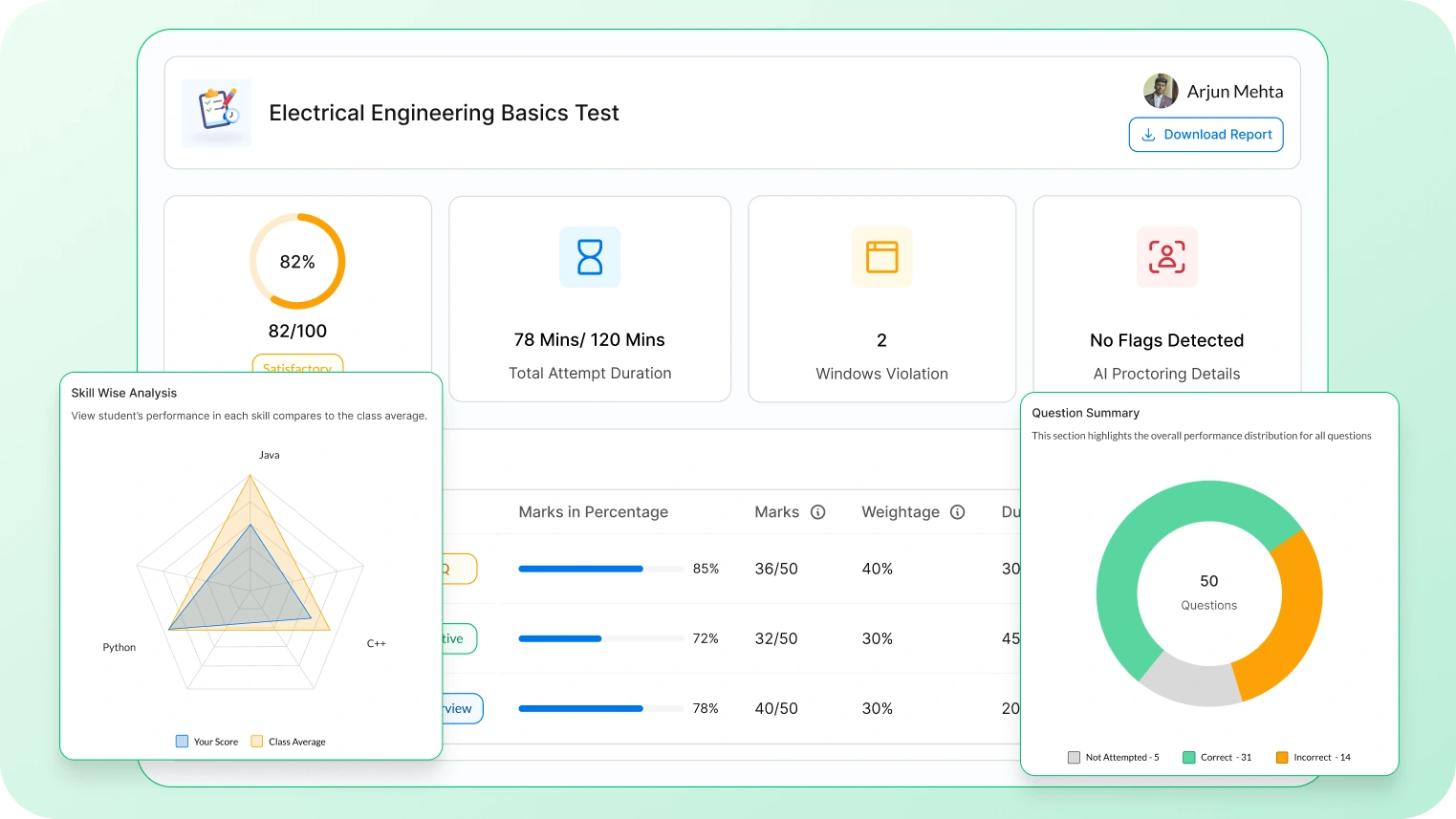
Score, section marks, skills against the class average, time taken and the proctoring summary.
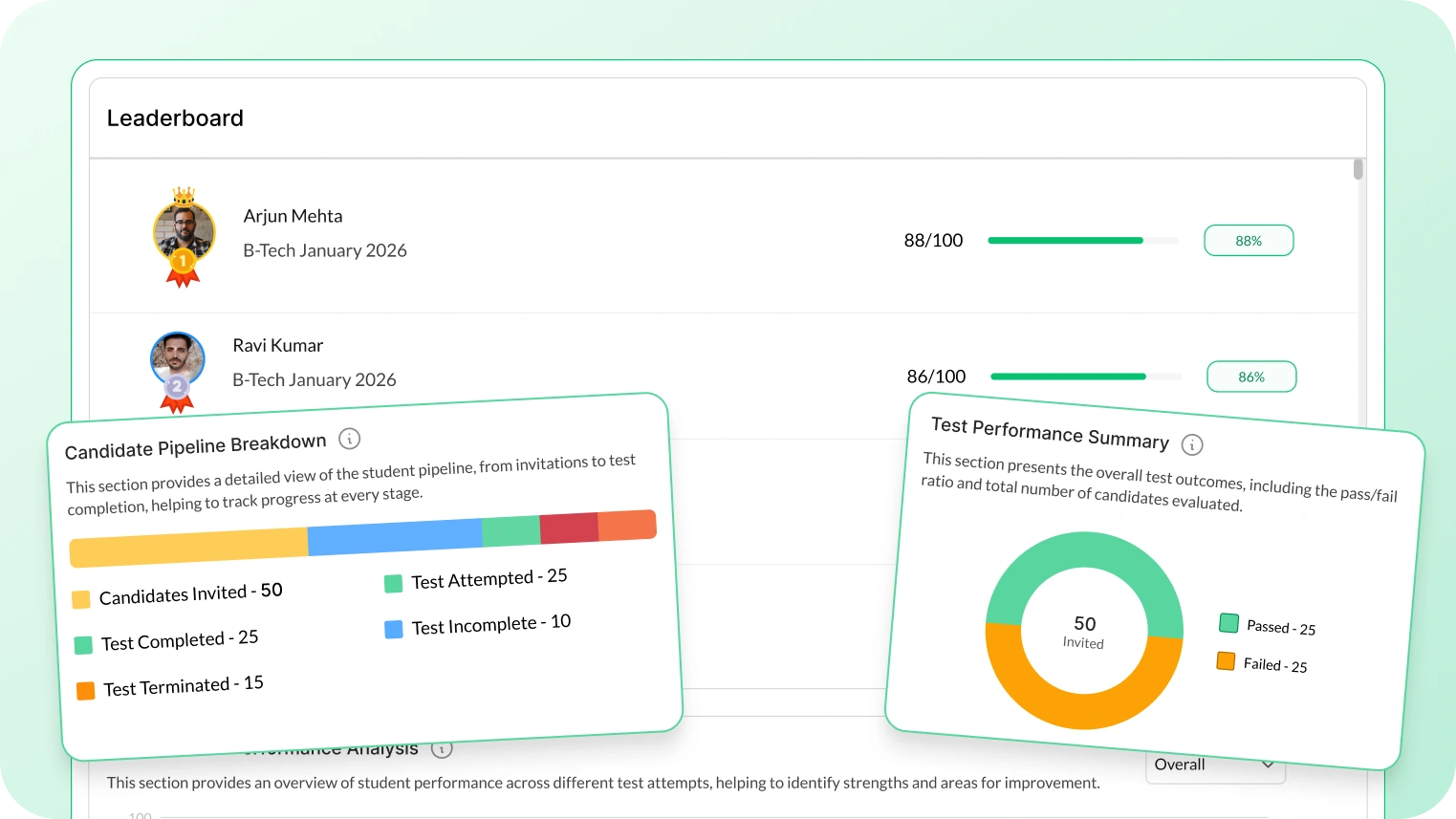
The leaderboard, how many started and finished, pass and fail, and section averages.
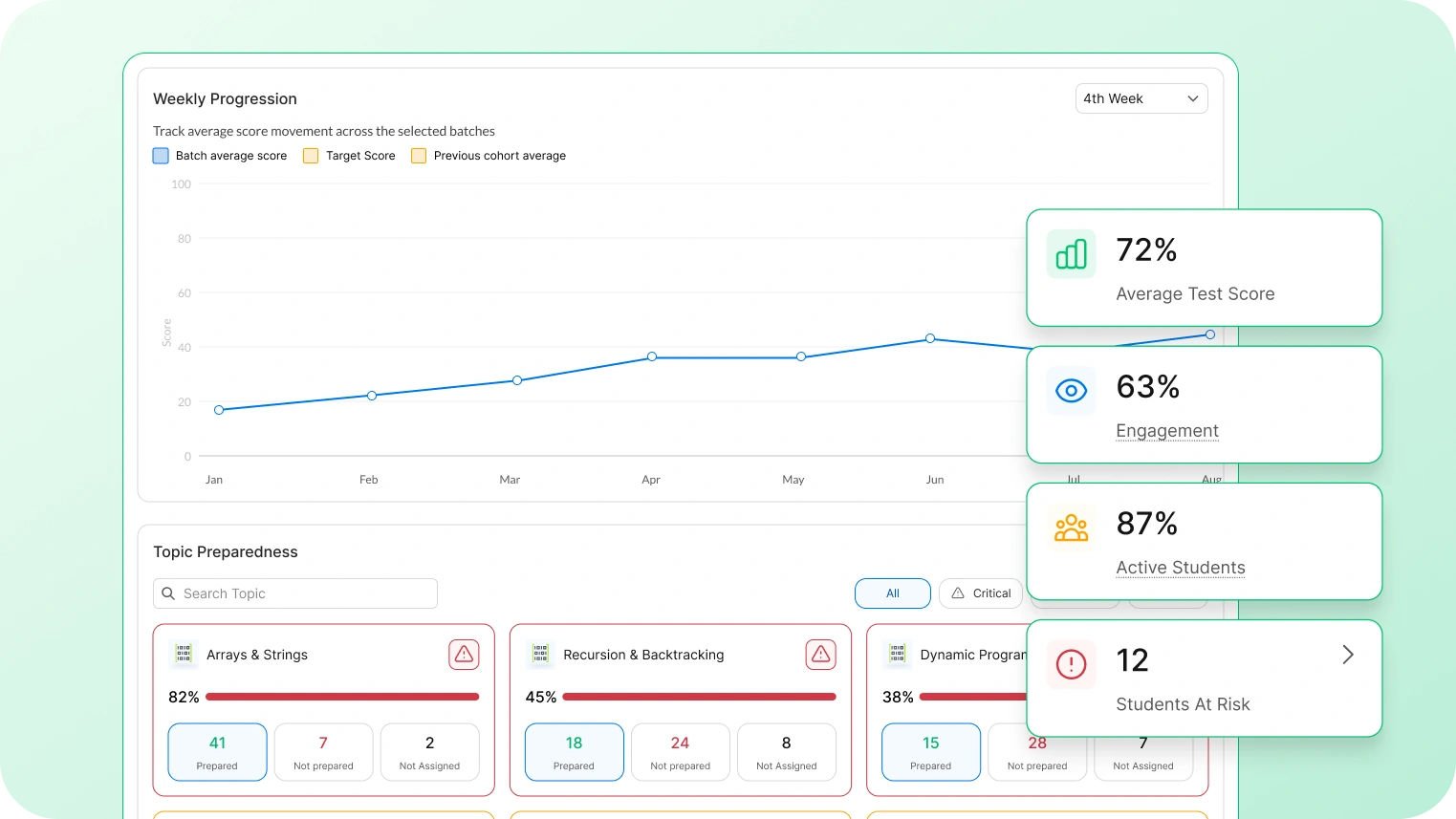
Batch average scores month by month, and topic preparedness across the batch.
The suite
Infy Assess runs on its own. Infy LMS puts its tests inside the course, and Infy Recruit runs them as rounds in each placement drive.
 Infy LMS
Courses, live classes and attendance, with Infy Assess tests inside the course.
Explore Infy LMS Infy Interview
AI mock interviews for every student, each with its own report.
Explore Infy Interview Infy Resume
Every resume in your institution’s format, scored before placements.
Explore Infy Resume Infy Recruit
Run Infy Assess tests as rounds inside each placement drive.
Explore Infy RecruitInfy Assess is online exam and proctoring software for colleges and universities in India, from InfyLearn, a Board Infinity company. Faculty and placement cells run MCQ, written and coding tests with AI Proctoring, Safe Exam Browser and rubric-based AI marking. Every student gets a report.
Yes. Infy Assess runs proctored aptitude, written and coding rounds for a whole batch. Set the pass mark as the cut-off, rank students by total score, check each Integrity Score, then export the shortlist to Excel. Employers can run hiring tests the same way, with an email invite or an open link.
Yes. Infy Assess opens lab exams inside Safe Exam Browser on Windows or macOS machines, with the exam slot as the time window. With an invite list, you can also ask for a 6-digit access code that the invigilator gives out. Results can stay hidden until you release them.
Your faculty stay in charge. In Infy Assess, Evaluate with AI scores each answer against the rubric and weights your faculty set and saves the mark, with a reason for every criterion, and faculty can review and change any mark. You choose when students see results: after submission, after the deadline, when you release them, or never.
Infy Assess uses AI Proctoring on the student’s webcam to flag no face, more than one face, a head turned away, eyes off the screen and a phone in view, and saves a photo of each moment. You can also set a tab-switch limit. Every flag rolls into one Integrity Score from 0 to 100 for each student.
No. Infy Assess AI Proctoring watches the webcam in the student’s browser and saves one photo for each flagged moment. It records no video or audio, and no live proctor watches. AI flags never end or invalidate a test: it submits itself only when time is up, after the idle limit, or past your tab-switch limit.
Infy Assess runs in Chrome, Edge, Firefox, Brave 100+ or Safari 18+ on Windows, macOS or Linux. MCQ and written tests also work on phones; coding needs a laptop or desktop, and Safe Exam Browser runs on Windows and macOS only. Before a proctored test, students run a camera, microphone and network check and give consent.
Yes. In Infy Assess, upload your questions in bulk from Excel into your own question library, tagged by skill, topic and difficulty, or use the InfyLearn Question Bank. Infy Assess can also draw questions automatically by topic, difficulty and type. For coding, you can write your own problems and test cases as well.
Yes. Coding Practice in Infy Assess gives students a problem library tagged by topic and difficulty, with as many attempts as you allow. Coding tests in C, C++, Java, Python, JavaScript and SQL run on sample cases, then mark themselves against hidden test cases. Each student gets a Coding Report with accuracy by difficulty and topic skills.
Not directly. Infy Assess exports results to Excel for the whole test or a section, and a PDF report for each student, with a ZIP for bulk downloads. There is no ready-made ERP connector, so marks reach your ERP by Excel export. Students sign in with Google, Microsoft or LinkedIn, and lists come in by CSV or Excel.
Infy Assess has four admin roles: Owner, Creator, Editor and Viewer. Viewers are read-only, and Editors can edit tests but cannot publish them or invite students. Downloads need Creator rights or above. Students see their own results only when your setting allows: after submission, after the deadline, when you release them, or never.
Bring your questions into Infy Assess by Excel bulk upload, or start from the InfyLearn Question Bank. Invite students by list, CSV or an open link limited to your email domain. You get an account manager, admin training and exam-day support, and our team can build the first tests with you. You provide the student list and your logo.
Infy Assess pricing depends on how many students take tests. On the demo call we look at the tests you plan, your batch sizes and the support you need, then send a quote for your student numbers. There is no public price list.
Tell us the test you are planning. We set it up and show it to you on a batch like yours.