 Infy Recruit
Applications processed
365K+Every application a student made to a job on Infy Recruit, checked against that job’s eligibility rules and tracked to its last stage.

 Infy RecruitCampus placement software for colleges
Simplify, streamline and scale your placement season: jobs, eligibility, AI screening, offers and reports on one platform.
Job alerts reach eligible students on EmailWhatsApp
Institutions that work with InfyLearn


















Applications processed
365K+Every application a student made to a job on Infy Recruit, checked against that job’s eligibility rules and tracked to its last stage.
With a small team and hundreds of students, these four things slip every season.
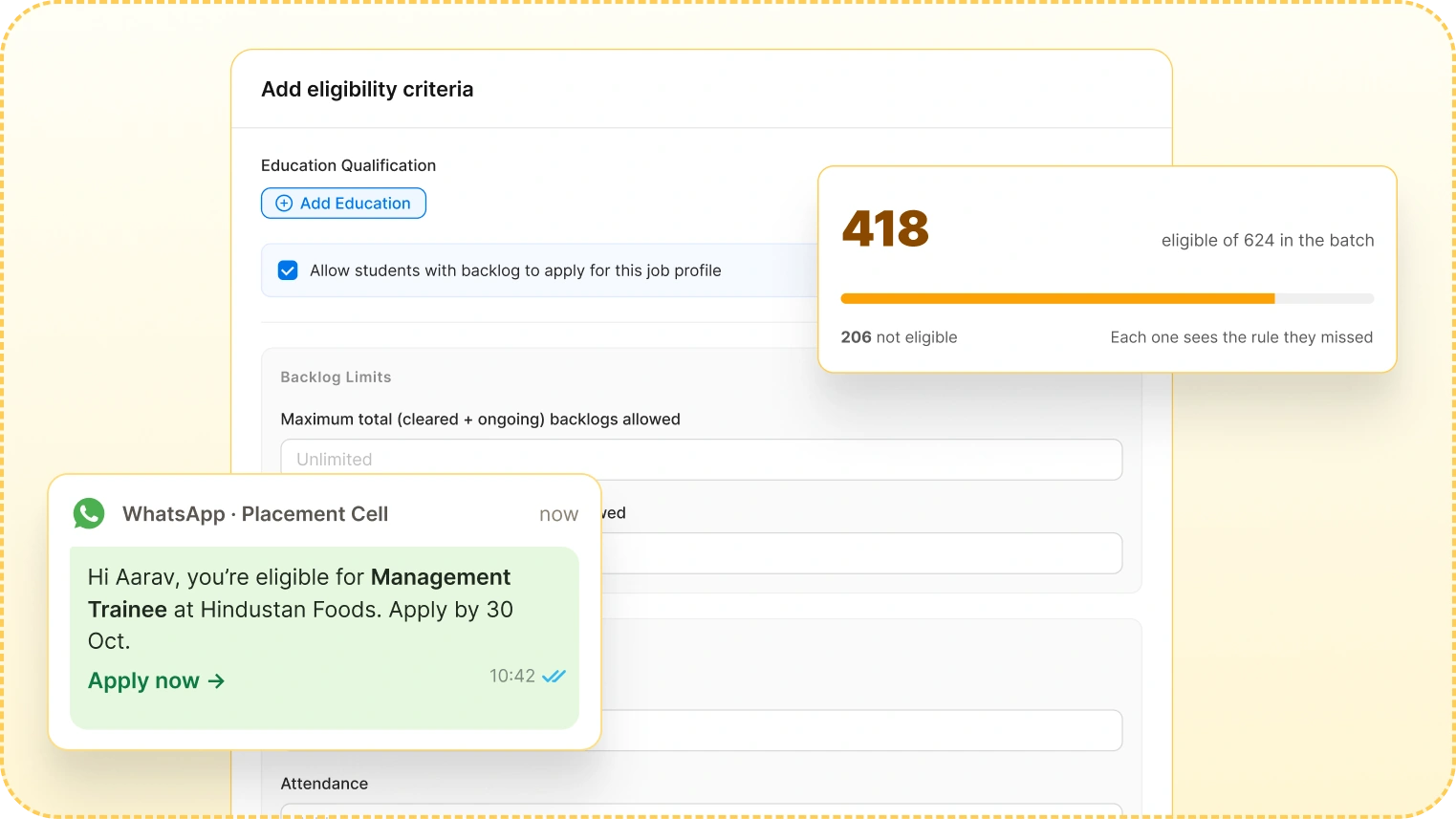
The gap: Eligibility filtered by hand
Each job checks every student against its rules. Students who miss a rule are told which one.
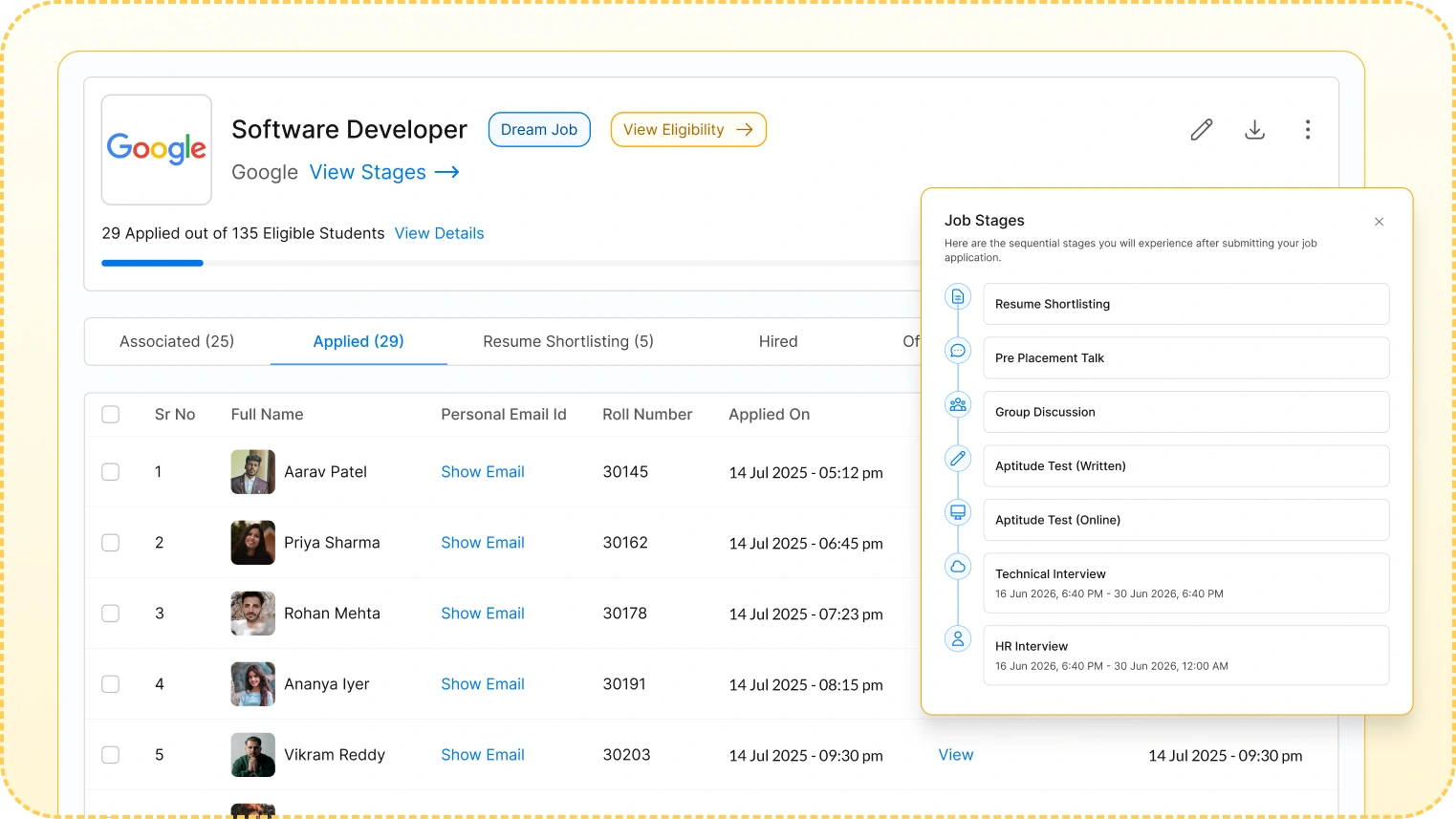
The gap: Students who stop applying go unnoticed
The jobs each student applied to, the stage reached and where they stopped.
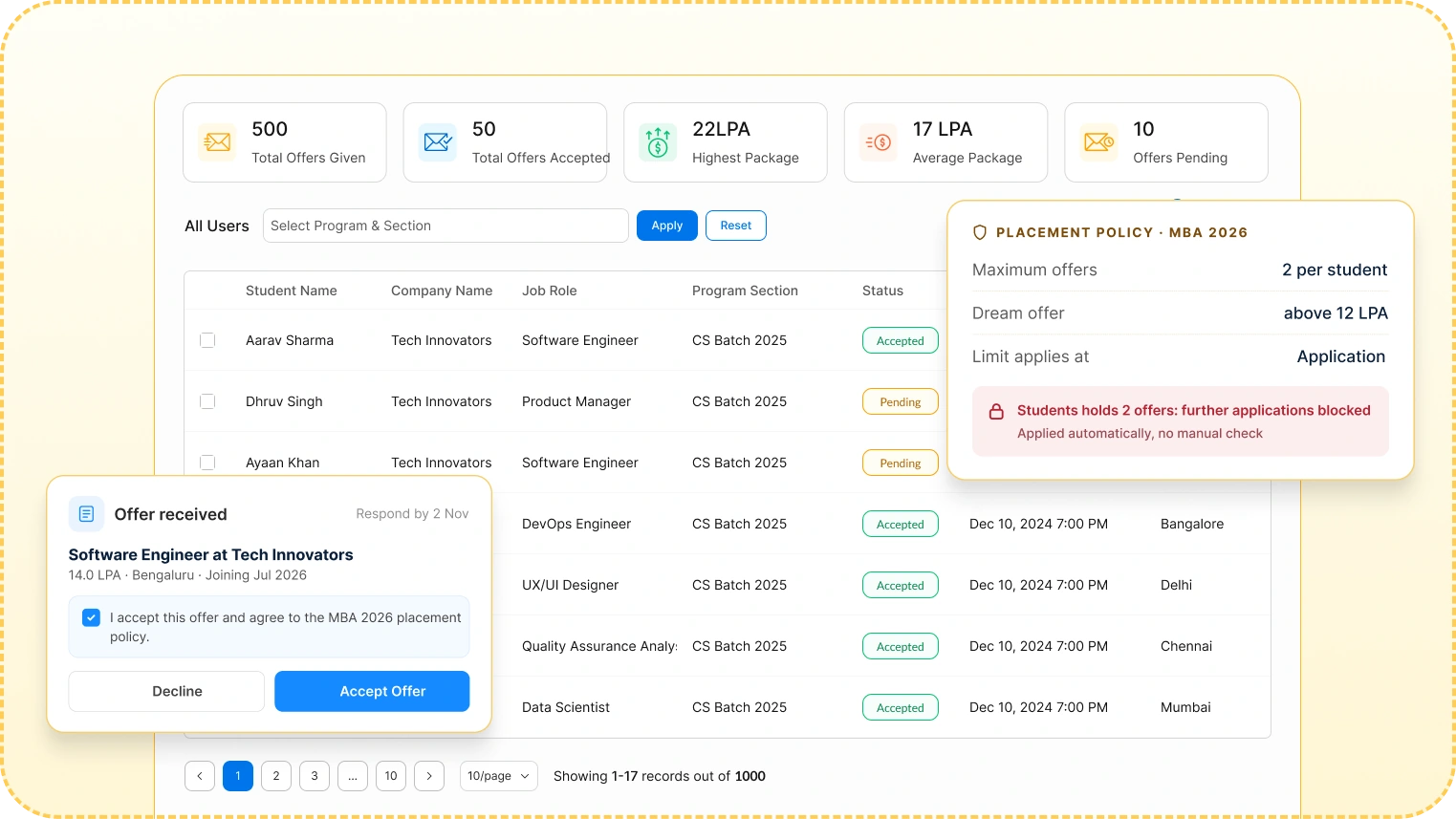
The gap: Offer limits checked from memory
Maximum offers, dream offers and the next-offer limit, checked on every application.
The gap: Season reports rebuilt by hand
Placement and offer analytics update as you go. Every list exports to Excel.
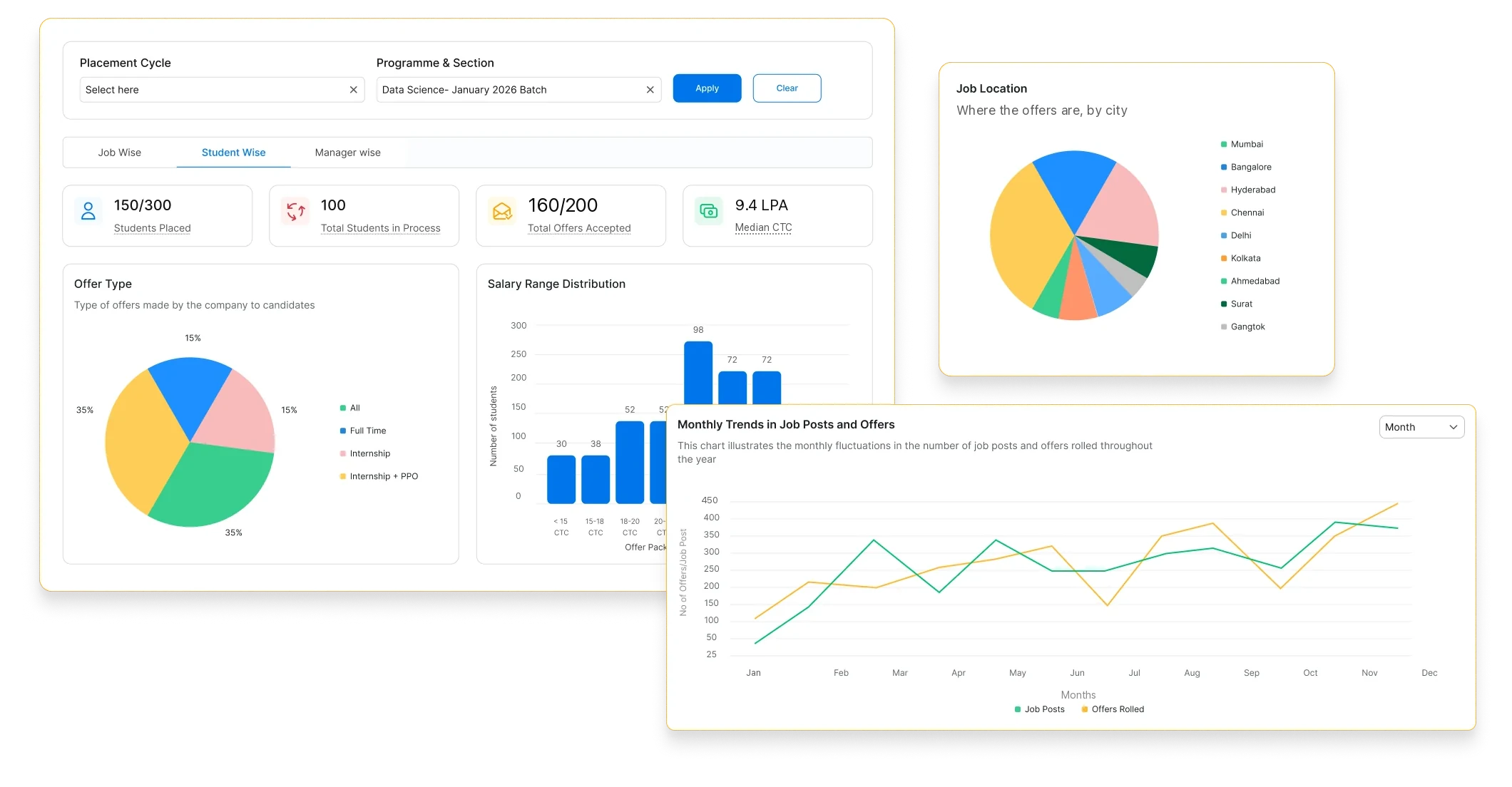
Start with final placements, then add internships, more campuses and recruiter outreach when you need them.
Post jobs, set eligibility, run the stages and roll out offers, with your placement policy applied all season.
See offer policy in a drive Placement officeInternships with a stipend, and internships with a PPO that carry both stipend and CTC, tracked beside finals.
See internship and PPO offers Placement officeSummer internships and final placements as separate cycles, each with its own policy.
See cycle and policy set-up Multi-campus groupsCoordinators work within their campus or section. The group placement head sees everything.
See campus and section access Corporate relationsCompanies, contacts and deals in Infy Recruit CRM, from new lead to offer made.
See the Recruiter CRMFollow one company’s drive from the job post to the season report. Pick a stage to see it.
Our team sets up your cycles, programmes and offer policy with you, and moves jobs, applications, offers and files over from your old platform.
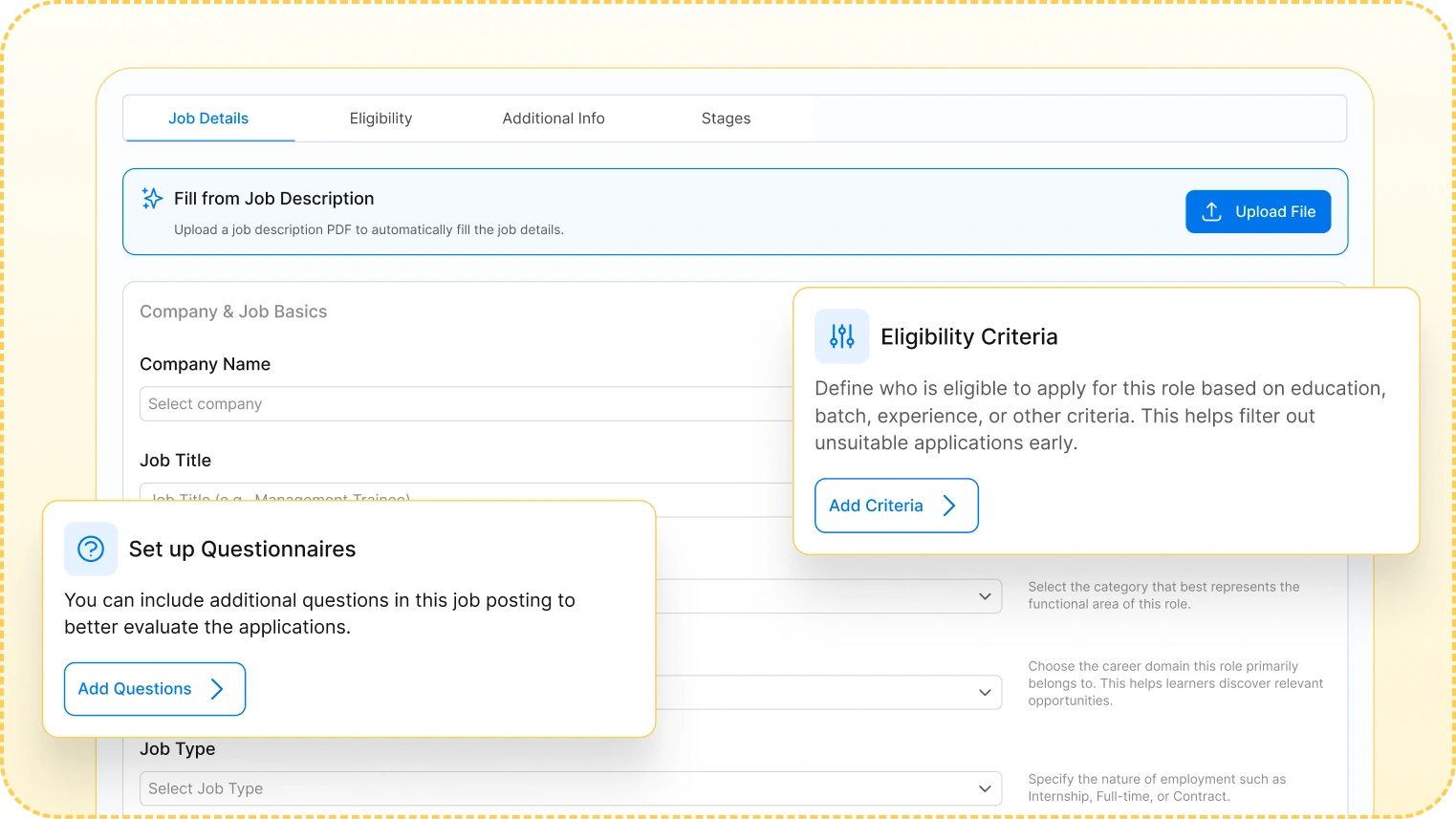
Title, type, CTC and skills fill in from the JD. Check each field, then add the eligibility rules and stages.
Degree, branch, CGPA, backlogs, gap years, attendance, campus and section. Students who do not qualify see why.
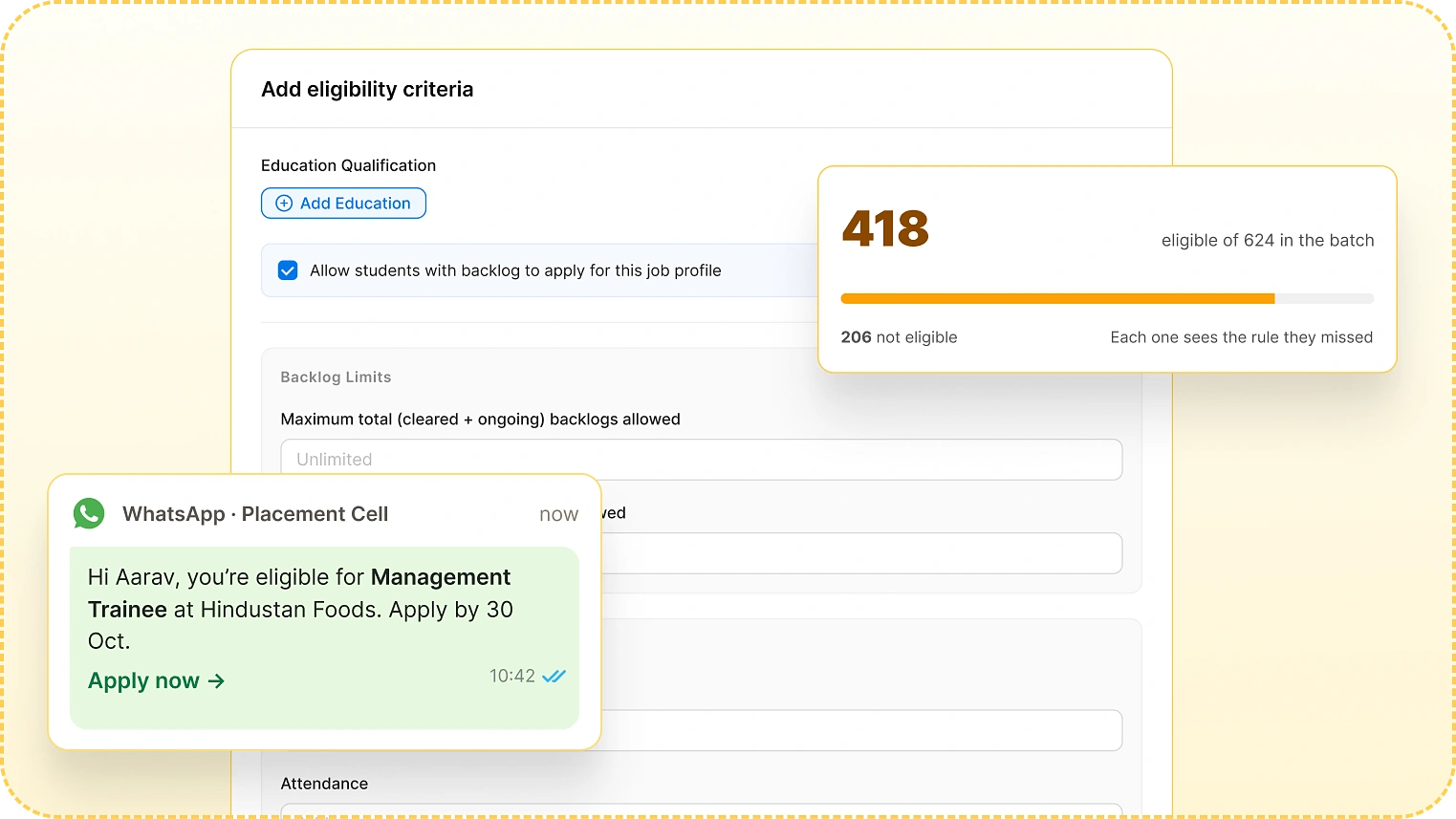
Filter the eligible students who have not applied, and see the stage where each student stopped.
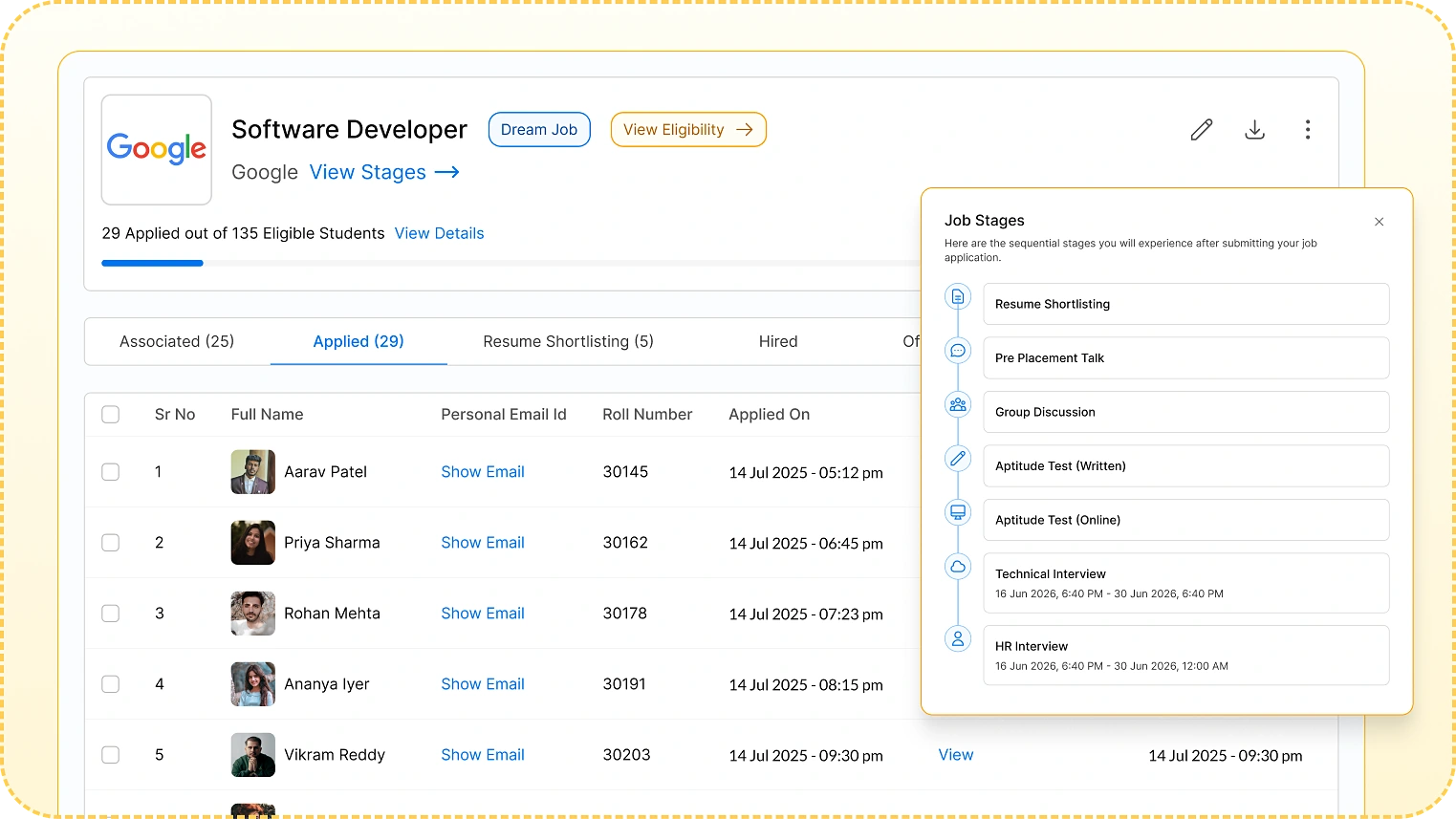
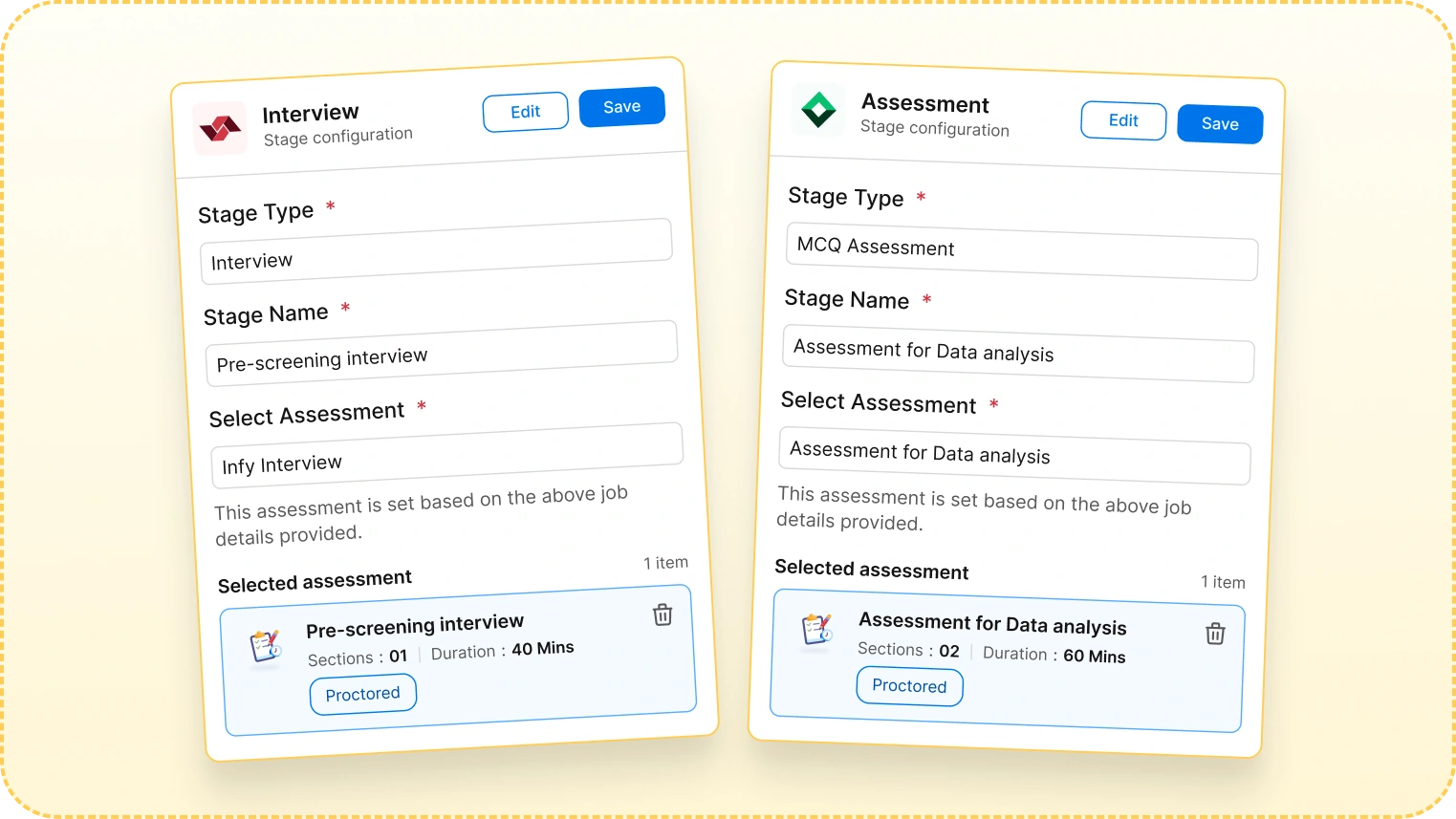
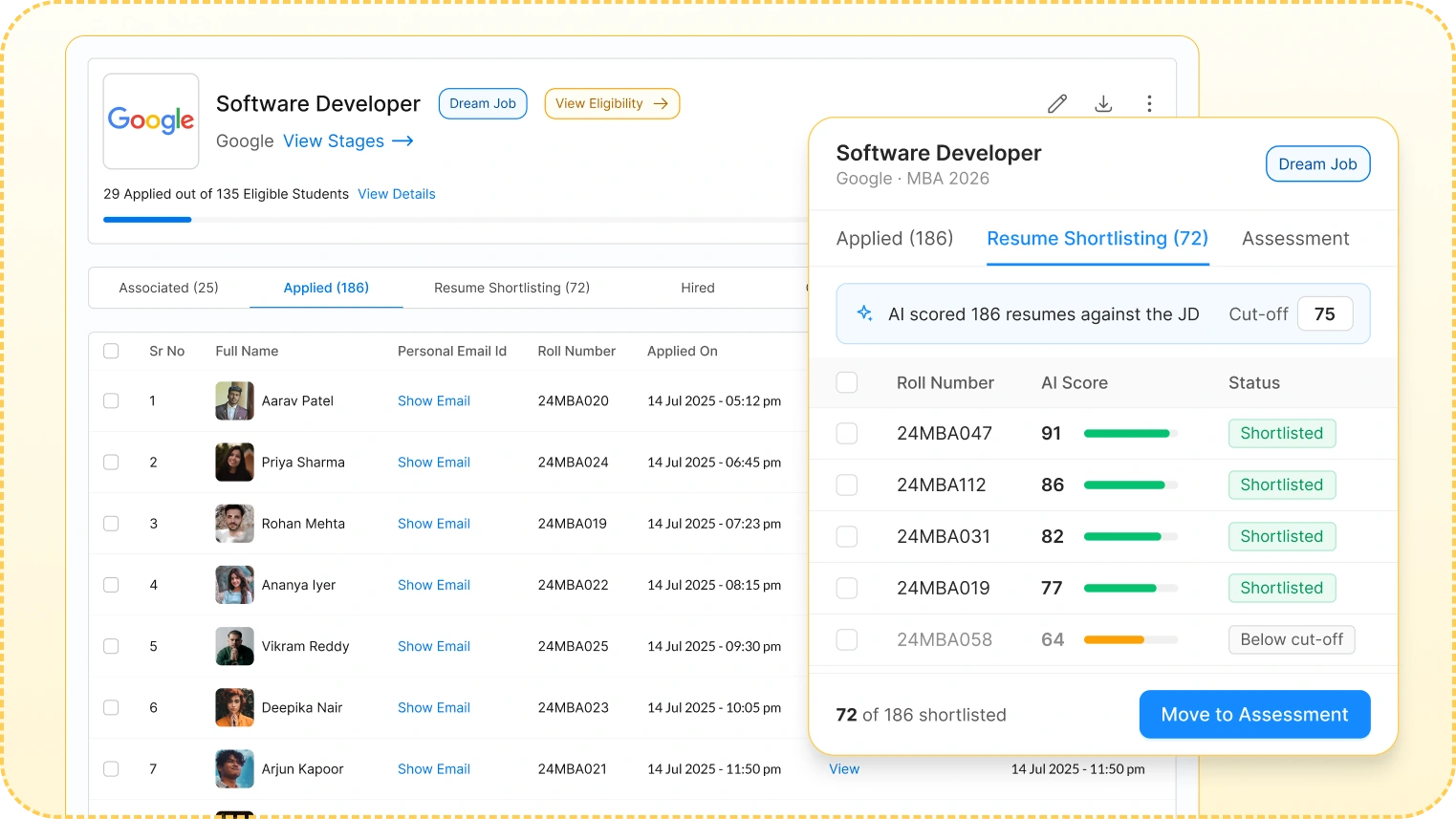
AI scores every resume against the JD. Add an Infy Assess test or an Infy Interview round as a stage of the job.
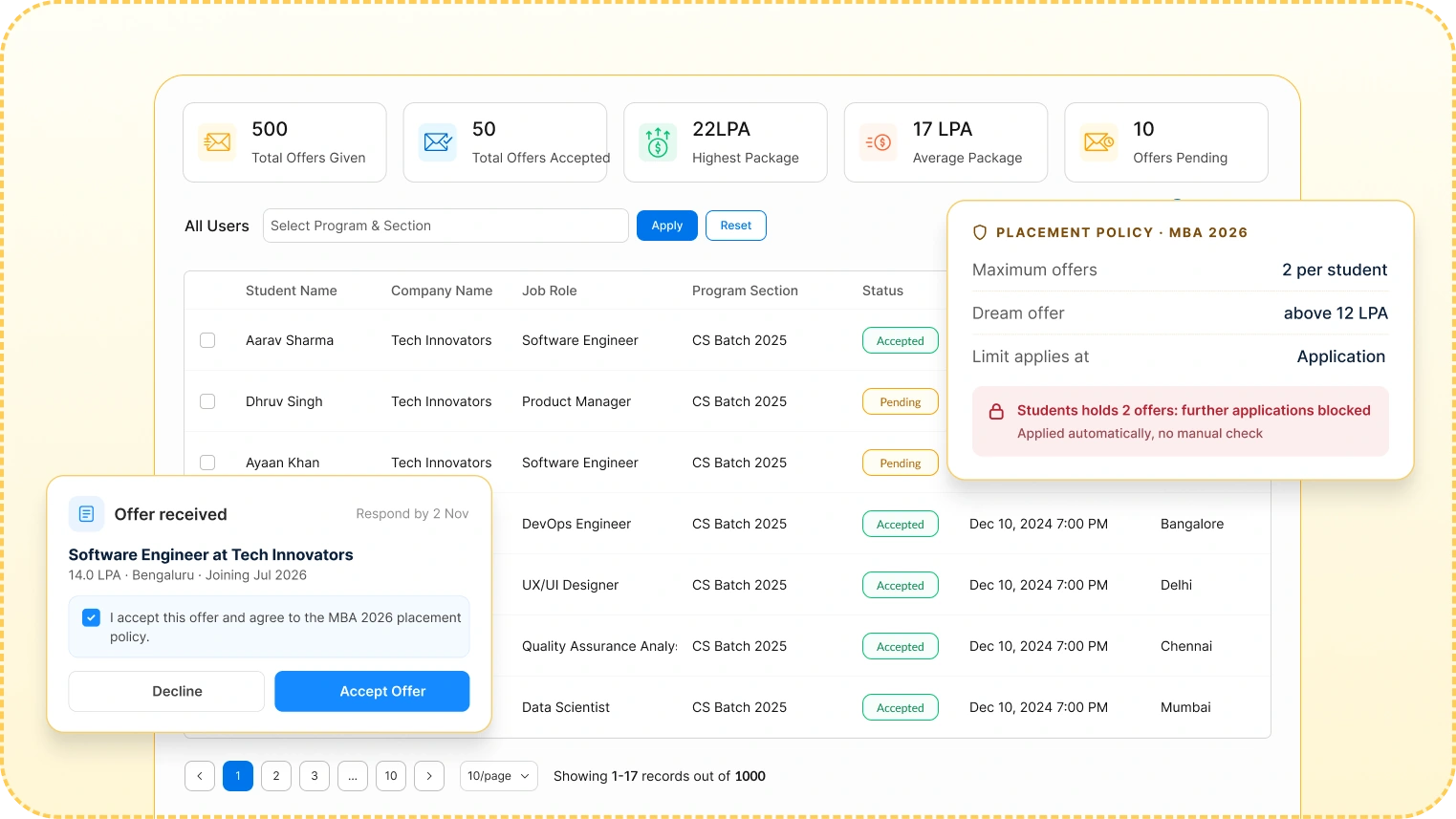
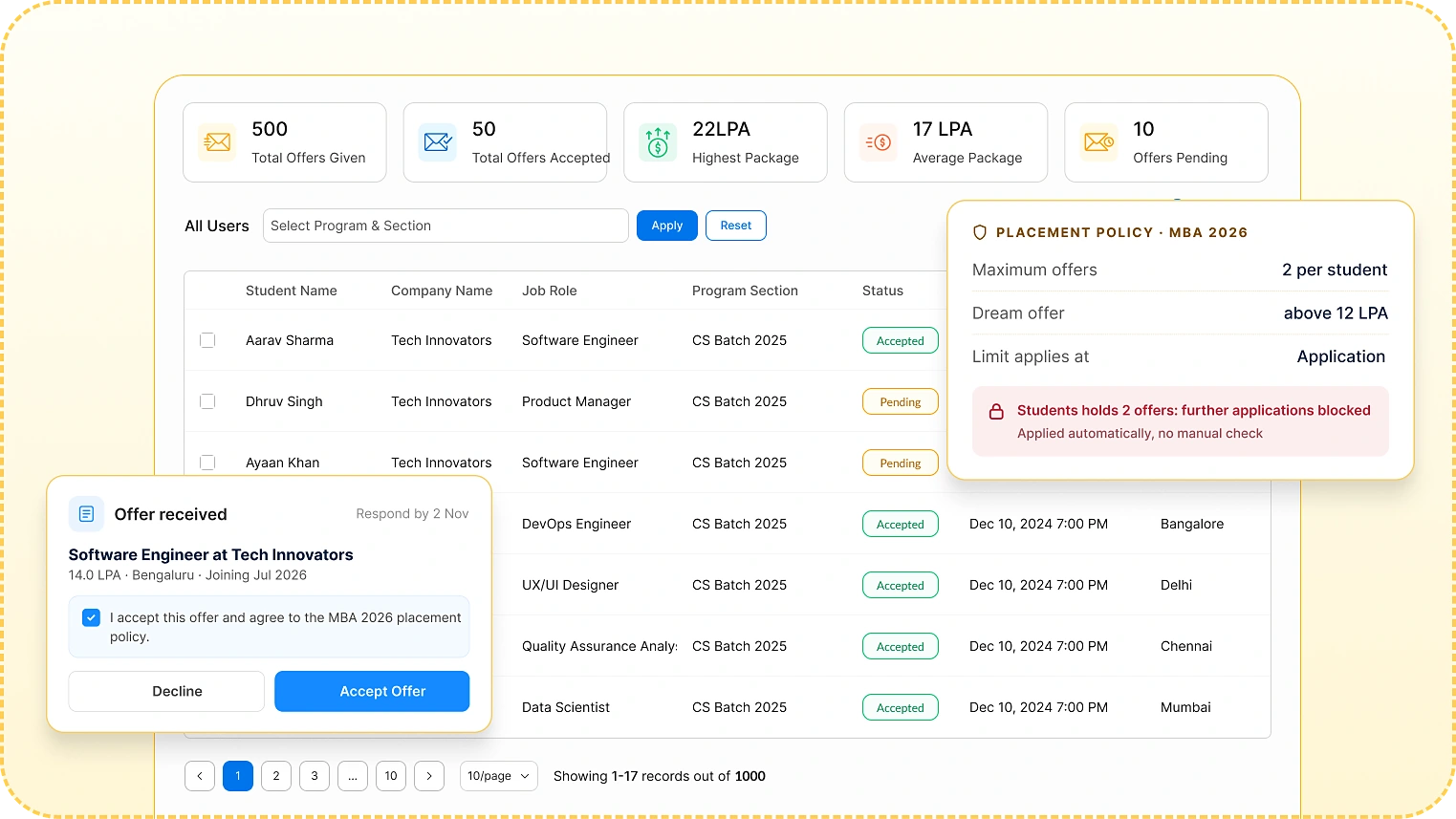
Set offer limits, dream-offer rules and CTC thresholds once per cycle. Upload up to 300 offers at once; students accept on the platform.
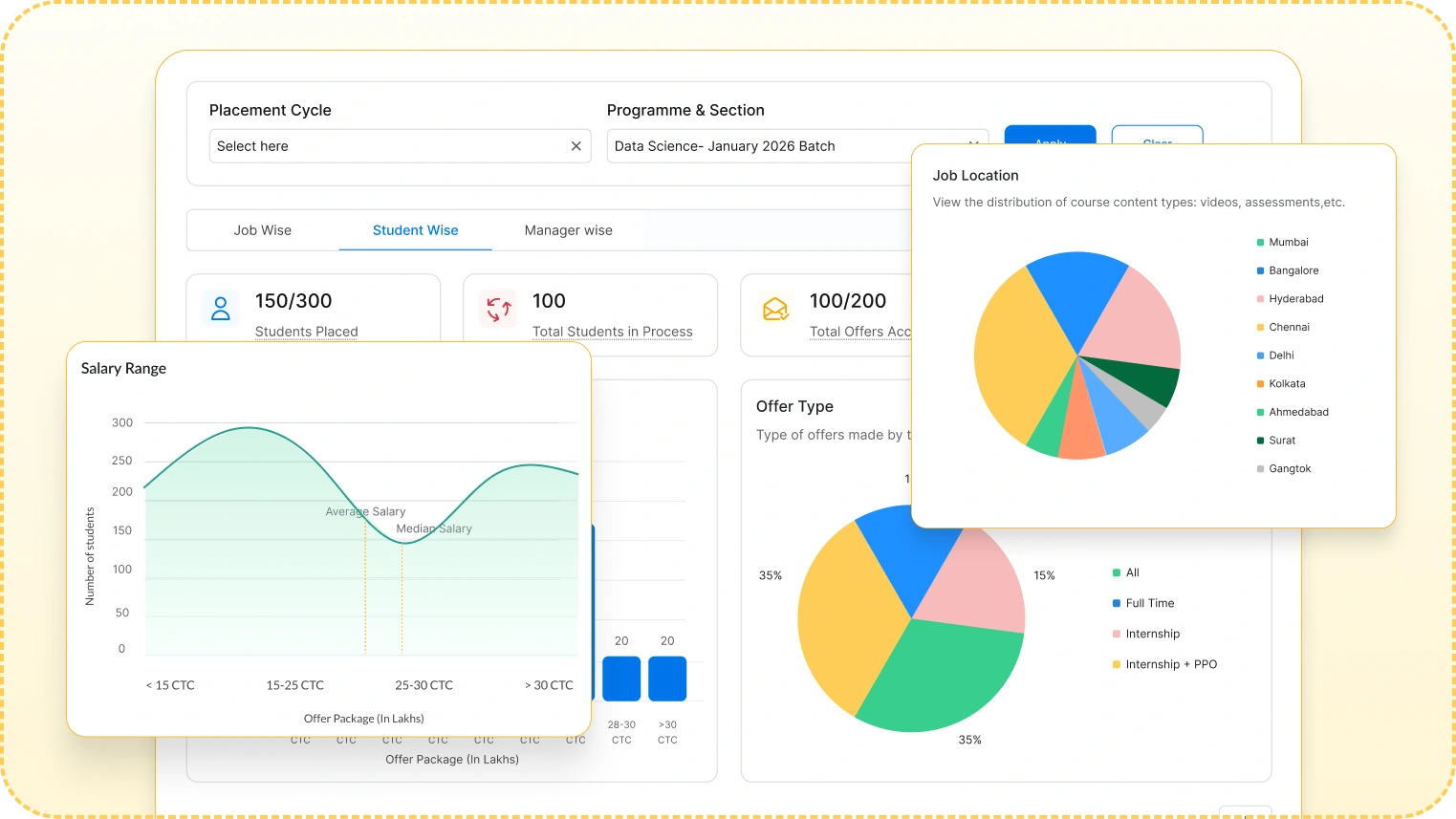
Placement analytics update as the season runs: job-wise, student-wise and manager-wise.
Alerts by email, SMS or WhatsApp for new jobs, stage changes, drive reminders and offers, under your institution’s name.
Software Developer · Tech Innovators · 14 LPA
View and applySent only to students who meet the job’s eligibility rules.
New job you are eligible for: Software Developer, Tech Innovators, 14 LPA. View and apply on Infy Recruit.
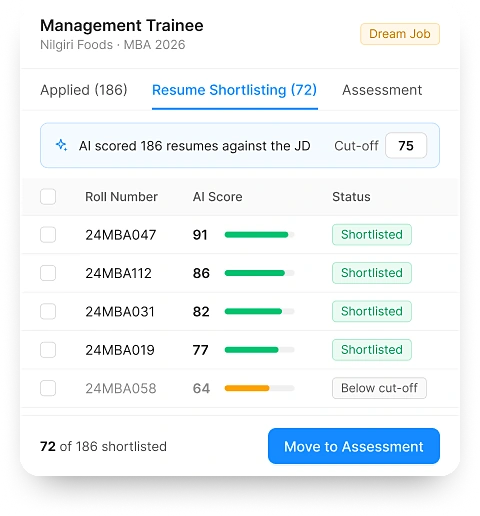
Resume scores, tests and AI interviews run inside the job, so recruiters get a ranked shortlist with resumes attached.
The three screens run as stages of one job: 14 recommended by the AI interview, 12 sent by your office.
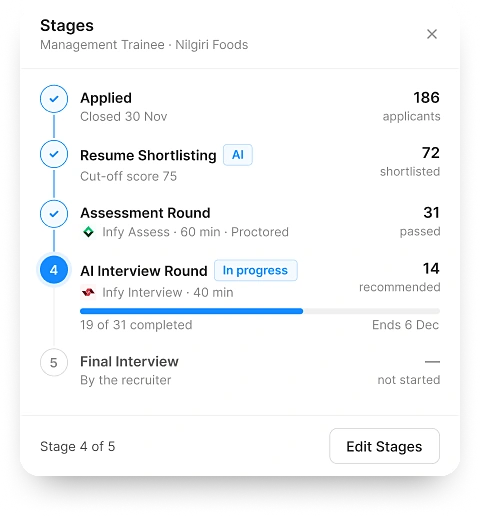
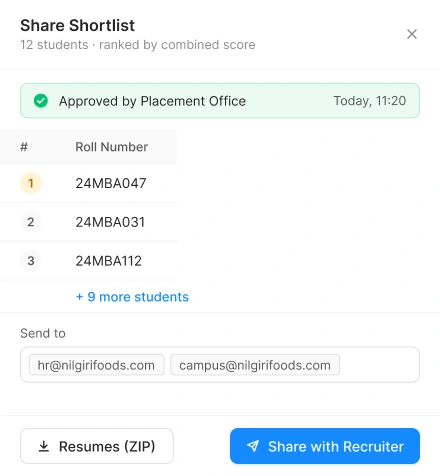
Add the rounds each company asks for, in its order, from the pre-placement talk to the offer.
Run the company’s talk as the first stage, with attendance taken by QR code at the venue.

Every applicant gets an AI resume match score against the JD, split into skills, experience and education. Your team sets the cut-off.
Add a group discussion as its own stage. Mark who moves on, in bulk, and the next stage opens for them.
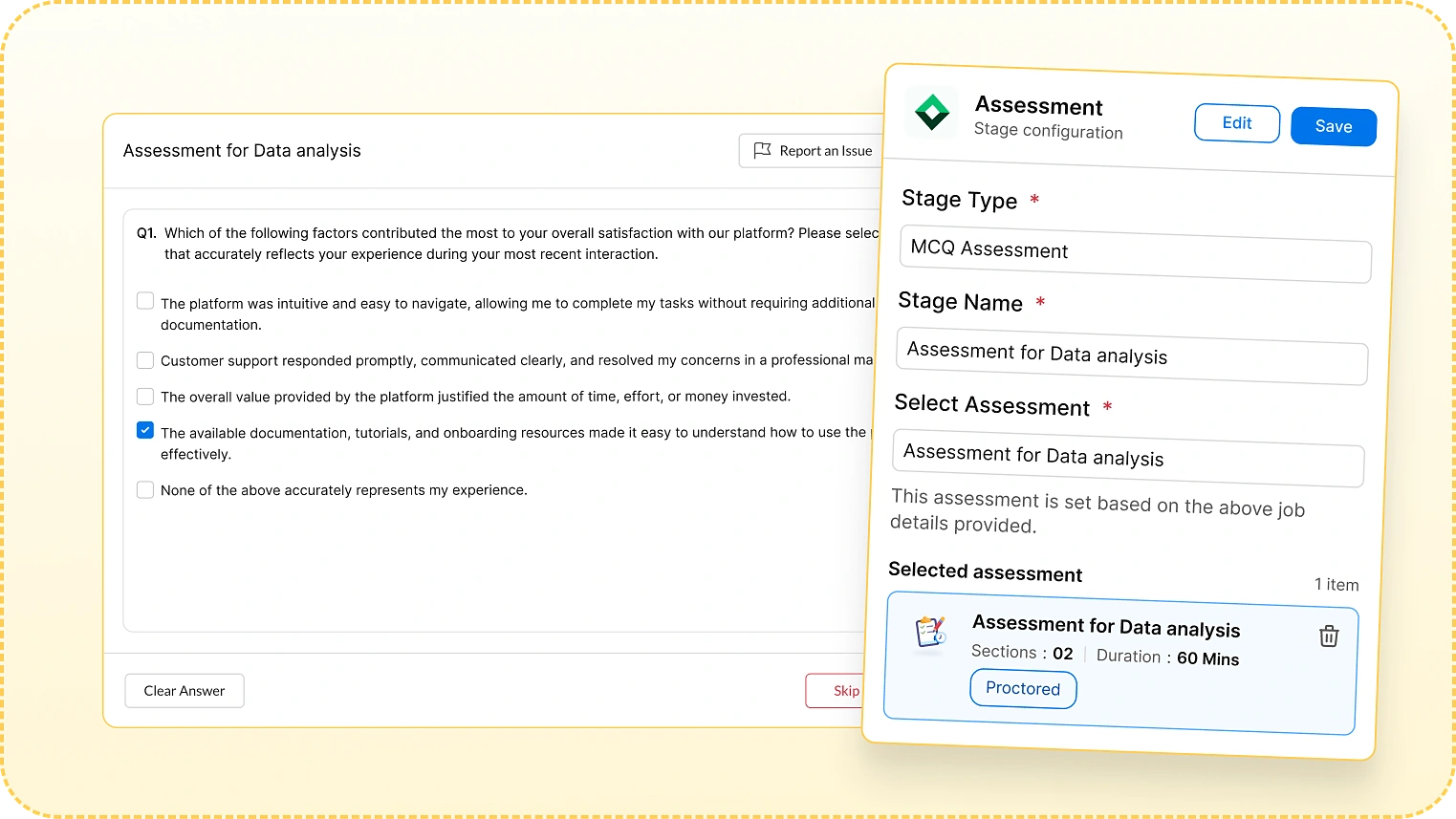
Attach an aptitude, MCQ or role-based test from Infy Assess to the stage. Proctored if you choose, with the score on the student’s record.
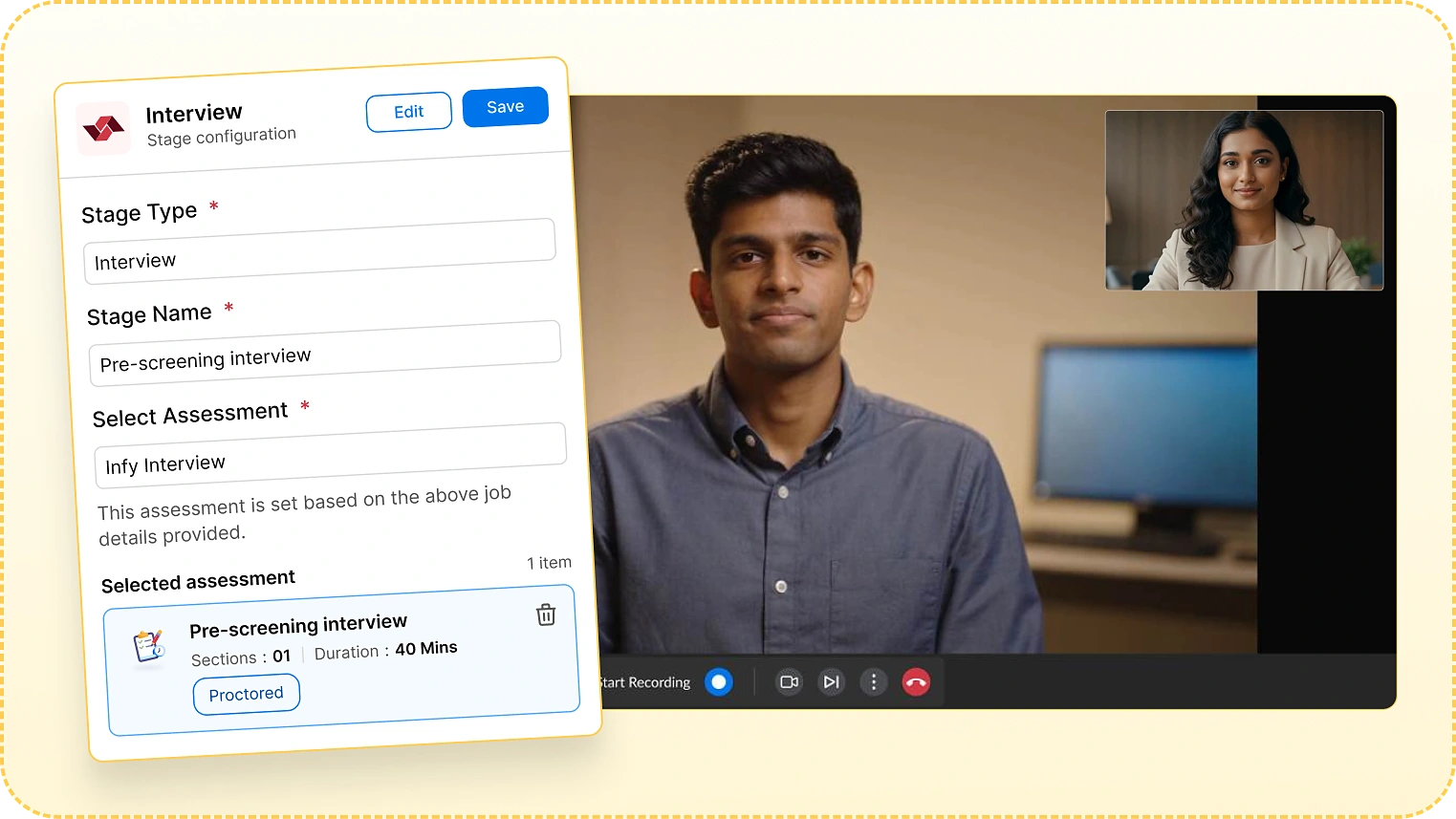
An AI interview built from the JD runs as a pre-screening stage and is scored for you. Your team decides who moves on.
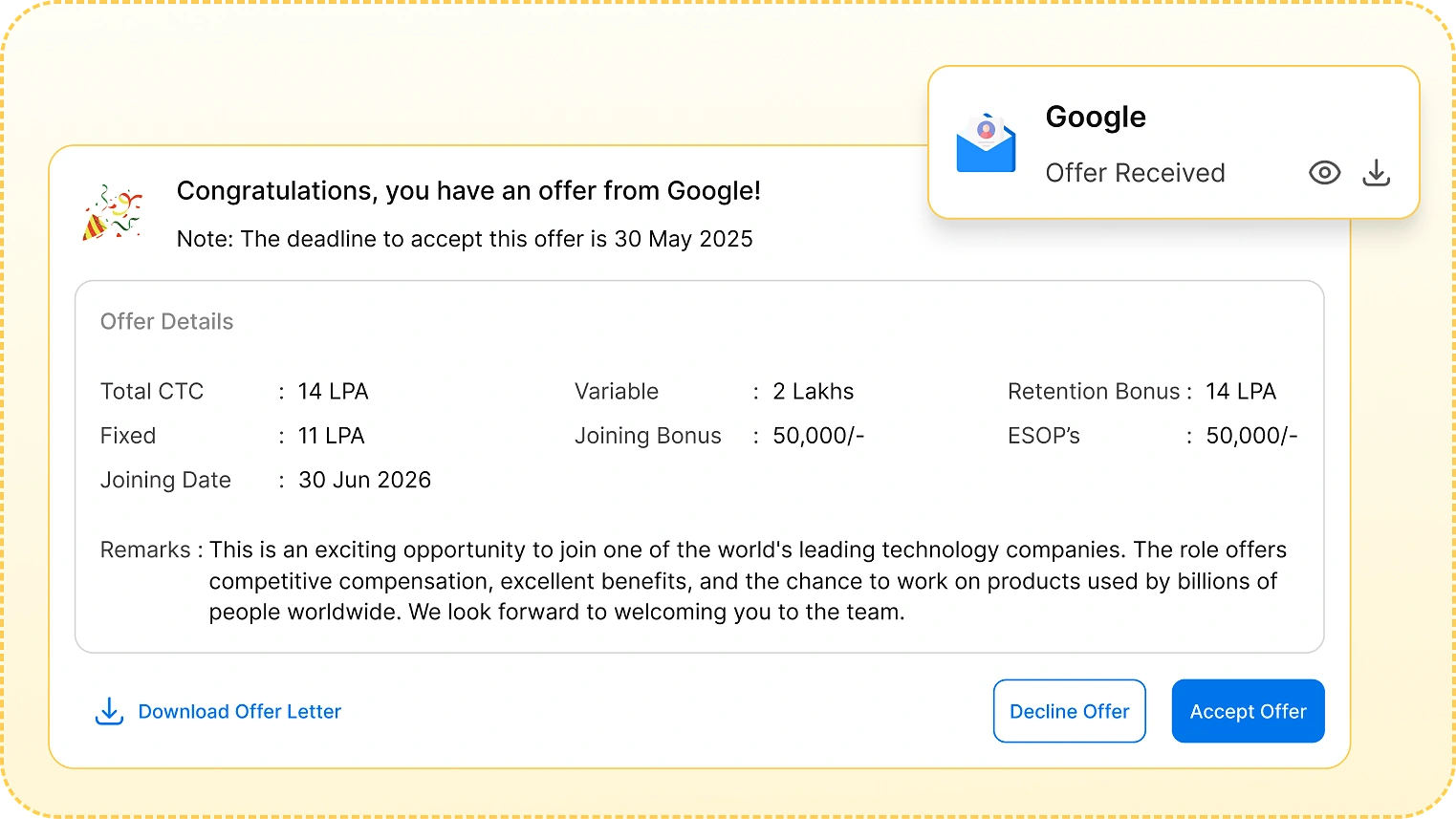
Technical, HR or final interviews, as many as the company runs. Then roll out the offer from the same job.
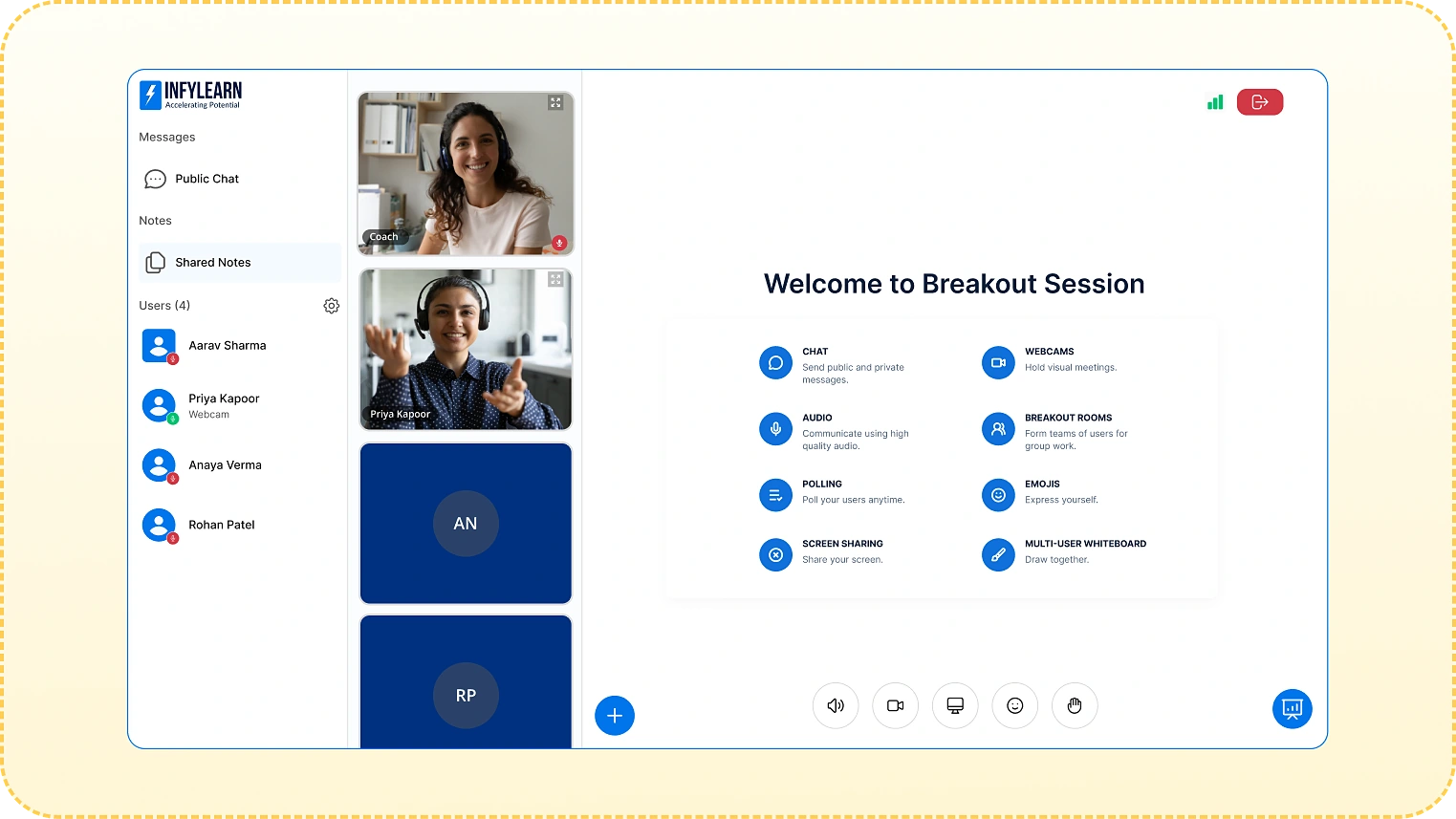
On the day of the driveAlerts before, attendance during, the shortlist after.
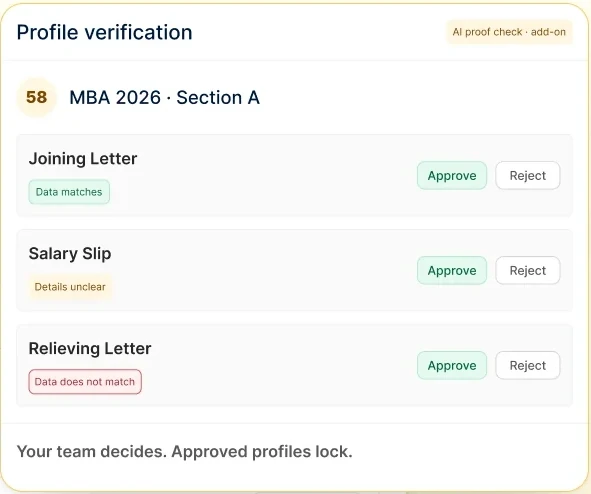
Students keep one profile with proof behind it. Your team checks it once, and it locks.
Students upload proof and your team verifies each item. The AI proof check flags mismatches first. Verified profiles lock.
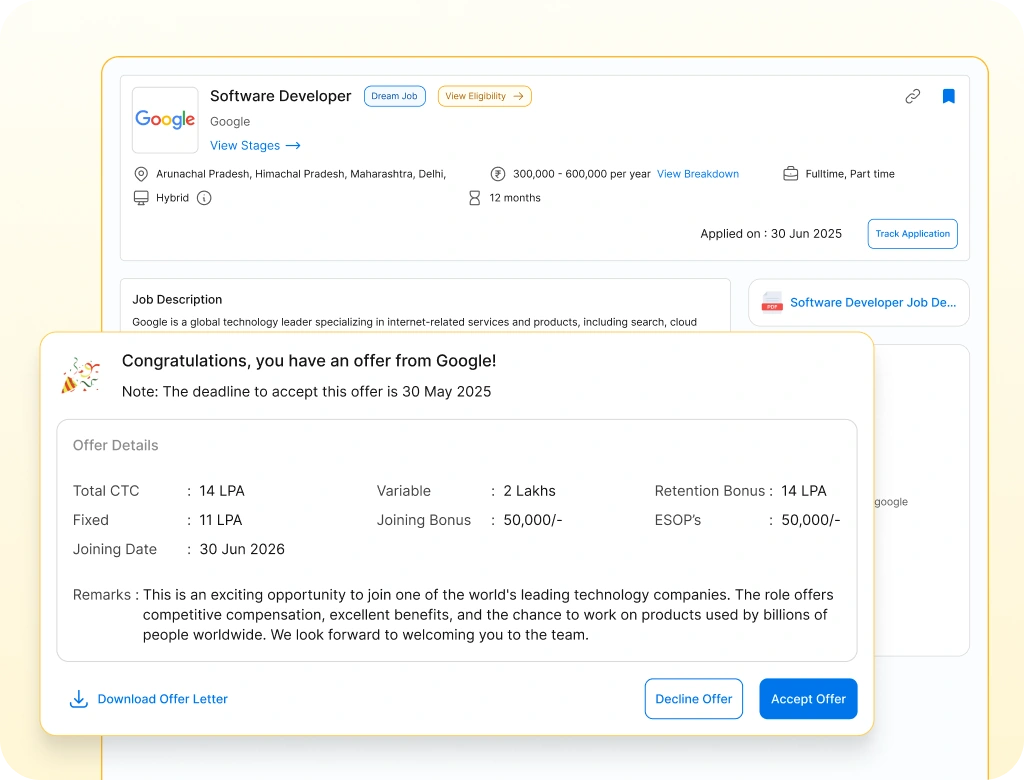
Students see the jobs they can apply for, the reason when they cannot, every stage of each application and their offers.
Jobs eligible for, applied to and missed, the stage reached and where each student stopped. Filter, then download the list to follow up.
Offers are checked against your placement policy, and every list downloads in the format each recruiter asks for.
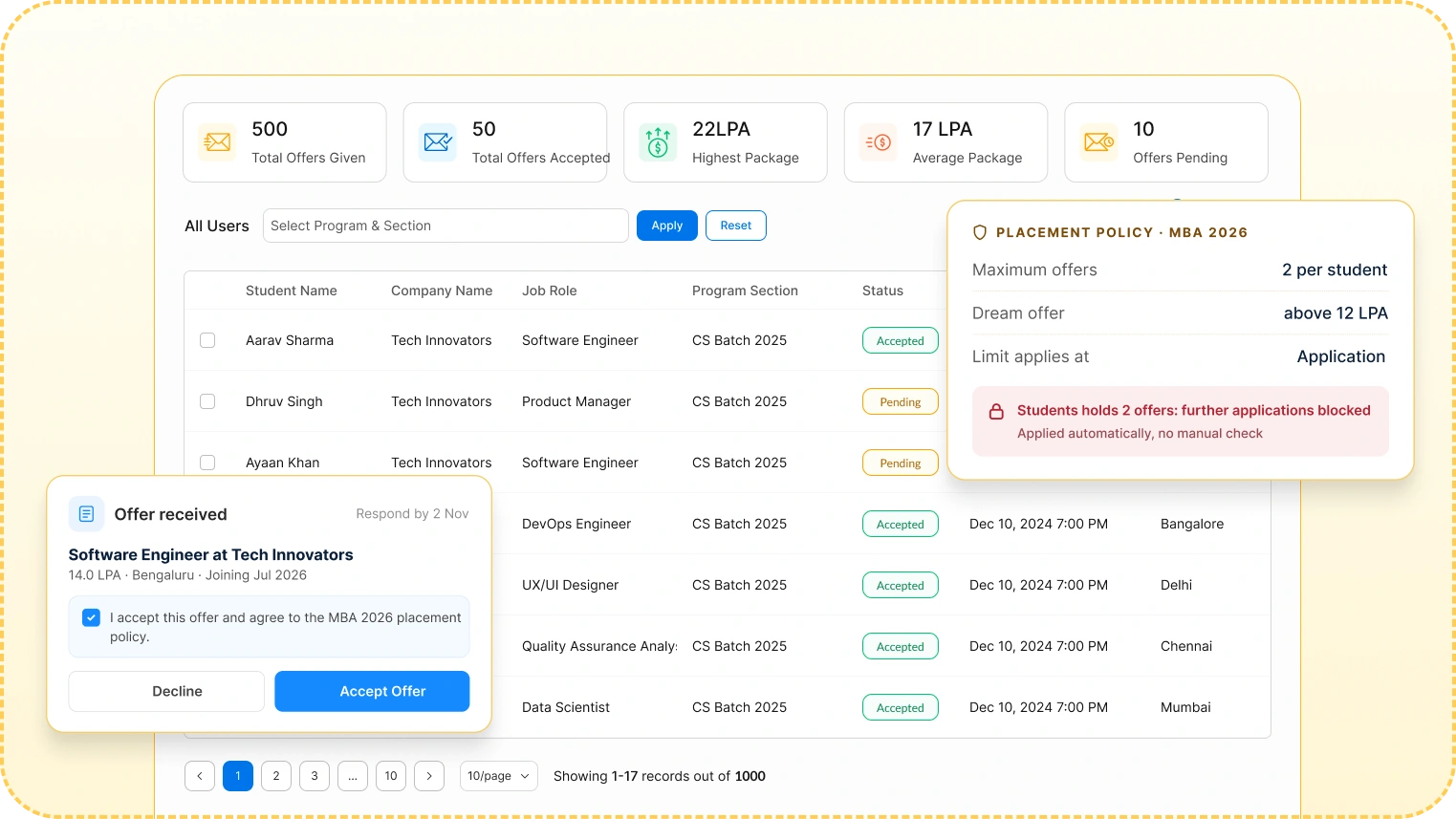
PPO, on-campus, internship and off-campus offers on one record, checked against your policy. Students accept or decline on the platform.
Rename the columns and download Excel or CSV. Resumes come as one ZIP, every file named by your rule, or as one share link.
Stages
Columns
Format
Resumes: ZIP of PDFs, named {FirstName}_{LastName}_{RollNo}
Students build a video portfolio, your team approves it, and recruiters browse the batch on one private link.
Digital PortfolioIntro and skill videos, projects and a resume.
Suggested next: a second project
Checked before it goes liveApprove in one click, or send it back with a reason.
Recruiter activityWho opened it, who they liked, and their JD, with an AI match score.
| Recruiter | Opened | Shortlisted | Interested | JD |
|---|---|---|---|---|
| TITech InnovatorsTalent acquisition | 4×2 h ago | 6 | 3 | Received |
| HFHarvest FoodsCampus hiring | 2×Yesterday | 3 | 2 | – |
| GSGlobal Solutions Ltd.HR business partner | 1×3 days ago | 0 | 0 | – |
Companies, contacts, calls and hiring targets, in one place your whole team shares. The tour plays by itself. Click a tab to explore.
 Infy Recruit CRM
Quick tour
Cycle 2027 · 2 campuses
Placement stages, built for campus hiring
Commitment to hire2 deals
“Last contact” updates itselfWhenever anyone logs a call, email or meeting.
Bring your Excel sheetRe-upload it any time: no duplicates.
Meeting Harvest Foods Yesterday
Campus drive agreed. Forecast: 5 hires.
On DealCompanyContactStage → Qualified
Email Sundara Analytics 2 days ago
JD shared for Final placements 2027.
On DealCompanyContactLogged via BCC
Call Tech Innovators 3 days ago
Asked for the graduate engineer JD.
On DealCompanyContactFollow-up for RS
Your recruiter email
ToCampus hiring lead, Sundara Analytics
BccYour CRM address Logs it
SubjectCampus dates for 2027
My desk
Open deals
9Across 7 companies
Hires vs target
38 of 52Next actions due
62 overdue
Going cold
3No contact for over 14 days
Your worklist
Deals at risk
Team
Active deals
414 people, 2 campuses
Hires vs plan
118 of 160Overdue follow-ups
7Across the team
No next step
4Deals to pick up
By person · hires vs target
By campus · target vs actual
Coverage gaps
Median time to close: 38 days
Reserved by Campus A
Pinnacle Enterprises is a hot deal for Campus A. Check with its owner, AK, before you reach out.
Shown to Campus B before the call.
Campus scopeEach person sees their own campus, or all, module by module.
Roles, module by module
| Role | View | Edit | Delete | Export |
|---|---|---|---|---|
| LeadershipEverything | ||||
| Account managerOwn records | ||||
| CoordinatorOwn campus | ||||
| ViewerBrowse, open own |
Export audit · who, when, how many rows
4 alumni work at Global Solutions Ltd. now
Recruiter profile page
Ready-made for the placement cell and for management, from one job to the whole season.
Placed, accepted, median CTC and the month-by-month offer curve.
Offer type
Offers by CTC band (LPA)
Job posts and offers by month Job posts Offers
Every student against every job they applied to: stage and status, one row each.
| Roll no. | Programme / section | Job | Company | Current stage | Status |
|---|---|---|---|---|---|
| 24MBA012 | MBA / A | Software Developer | Tech Innovators | Offer | Accepted |
| 24MBA017 | MBA / A | Software Developer | Tech Innovators | Interview | Not selected |
| 24MBA023 | MBA / B | Data Analyst | Sundara Analytics | Interview | In process |
| 24MBA031 | MBA / B | Business Analyst | Harvest Foods | Offer | Accepted |
| 24MBA038 | MBA / C | Project Engineer | Trelis Infra | Shortlisting | In process |
| 24MBA044 | MBA / A | Associate Consultant | Global Solutions Ltd. | Aptitude test | Not selected |
| 24MBA052 | MBA / C | Marketing Intern | Future Vision Corp. | Offer | Offer received |
| 24MBA067 | MBA / D | Sales Associate | Pinnacle Enterprises | Applied | Applied |
How many entered, moved on and dropped at each stage of every job.
| Job | Stage | Entered | Moved on | Dropped | Conversion |
|---|---|---|---|---|---|
| Software Developer, Tech Innovators | Applied | 186 | 72 | 114 | |
| Software Developer, Tech Innovators | Shortlisted | 72 | 31 | 41 | |
| Software Developer, Tech Innovators | Aptitude test | 31 | 14 | 17 | |
| Software Developer, Tech Innovators | Interview | 14 | 12 | 2 | |
| Data Analyst, Sundara Analytics | Applied | 121 | 38 | 83 | |
| Data Analyst, Sundara Analytics | Shortlisted | 38 | 15 | 23 | |
| Data Analyst, Sundara Analytics | Interview | 15 | 6 | 0 (9 waiting) |
Every job on one sheet: eligible, applied, in process, offers and status.
| Job | Company | Eligible | Applied | In process | Offers | Status |
|---|---|---|---|---|---|---|
| Software Developer | Tech Innovators | 418 | 186 | 2 | 12 | Offers rolled |
| Associate Consultant | Global Solutions Ltd. | 418 | 214 | 0 | 15 | Closed |
| Business Analyst | Harvest Foods | 266 | 148 | 0 | 11 | Closed |
| Data Analyst | Sundara Analytics | 188 | 121 | 9 | 6 | Interviews |
| Project Engineer | Trelis Infra | 142 | 64 | 22 | 0 | Shortlisting |
| Marketing Intern | Future Vision Corp. | 418 | 233 | 0 | 14 | Closed |
| Sales Associate | Pinnacle Enterprises | 354 | 41 | 0 | 0 | Open |
| All 64 jobs | 29 companies | 268 |
Offers, acceptances and median CTC for each company that hired.
| Company | Offers | Accepted | Median CTC (LPA) | Job type |
|---|---|---|---|---|
| Tech Innovators | 34 | 31 | 11.2 | Full time |
| Global Solutions Ltd. | 28 | 25 | 9.8 | Full time |
| Harvest Foods | 22 | 20 | 8.4 | Internship + PPO |
| Sundara Analytics | 19 | 18 | 12.6 | Full time |
| Trelis Infra | 16 | 14 | 7.9 | Full time |
| Future Vision Corp. | 14 | 12 | 10.4 | Internship |
| Pinnacle Enterprises | 12 | 11 | 9.1 | Full time |
| 22 more companies | 123 | 105 | 9.2 | Mixed |
| All 29 companies | 268 | 236 | 9.6 |
Placement Dashboard, Job-wise student status, Stage-wise, Jobs summary and Company-wise offers, each downloadable to Excel or CSV.
The suite
Infy Assess, Infy Interview and Infy Resume results land on the same student record.
 Infy Assess
Proctored aptitude, MCQ and role-based tests, run as a round of any drive.
Explore Infy Assess Infy Interview
AI interviews built from the JD, run as a pre-screening round.
Explore Infy Interview Infy Resume
Resumes built from the verified profile, in your institution’s format.
Explore Infy Resume Infy LMS
Courses, live classes and attendance for the same students.
Explore Infy LMSWhat placement officers, deans and IT teams ask, from set-up to data export.
Infy Recruit is placement management software for college and university placement cells in India, from InfyLearn, a Board Infinity company. It runs the placement season: eligibility rules, job alerts, AI screening, offers and reports. Student profiles are verified by your team, and your placement office sets each rule once, so every drive follows it.
Yes. Each placement cycle in Infy Recruit has its own placement policy: maximum offers, dream-offer rules and CTC thresholds. The platform applies them at eligibility, application or offer, so nobody enforces the policy from memory. Internship and final cycles can run side by side, each with its own policy.
Yes. Infy Recruit gives every applicant an AI resume match score against the JD. It also runs Infy Assess tests and Infy Interview AI interviews as rounds inside the job. Every score lands on the student’s Infy Recruit profile. AI scores help your team rank; your team makes every final decision.
Students upload proof, and your team verifies each profile in Infy Recruit. The AI proof check, a paid add-on, flags documents that do not match first. A verified profile locks, so any change needs a request. An activity log keeps a record of changes.
Yes. In Infy Recruit you pick the stages, choose and rename the columns, and download Excel or CSV. Resumes download as one ZIP, each file named by your rule, such as first name, last name and roll number. Or send the recruiter one link that opens them all.
No app is needed. Infy Recruit runs in laptop and phone browsers, so students can apply, track each stage and accept offers from either. Eligible students get job alerts by email, SMS or WhatsApp under your institution’s name, and see every update on the platform.
Our team sets up Infy Recruit with you. We import your jobs, applications, offers and files from your current placement platform, upload your student data, apply your branding, add your team with their roles and set your placement policy. Your team then runs the season, and we stay on call.
Infy Recruit shows student data to your admins only within their campus or section. Recruiters see only the Profile Book links and shortlists your team shares. Verified profiles lock and changes are logged. InfyLearn is ISO 27001 certified, compliant with India’s DPDP Act 2023 and aligned with the EU GDPR.
Students and staff sign in to Infy Recruit with email, Google or LinkedIn. An integration API also creates and updates student records and lets students sign in through your institution’s own portal; our team sets it up with your IT team. There are no ready-made connectors for named ERP products, so ask about your student system on the demo call.
Yes. Every list in Infy Recruit downloads to Excel or CSV, with the columns you choose, and resumes download as one ZIP. Your admins decide who on your team can download. For what happens to your data at the end of a contract, ask us on the demo call.
Infy Recruit is priced as one licence per institution, based on your number of students and the modules you use, such as the CRM or the Profile Book. AI features, such as resume screening, use credits. Ask for a quote for your student numbers on the demo call.
Send us one drive’s JD and eligibility rules. We set it up before the call.